¶ My clubs
A tennis club provides access to facilities, courts, and equipment, fostering a supportive community of fellow tennis enthusiasts. Clubs often have organised events, tournaments, and social gatherings, which create opportunities to improve player tennis skills, meet new people, and make friends who share a passion for tennis.
On this page/tab users will see (and understand) all information about the club and can execute certain functions like reporting an incident.
Do note that one player (TAP user) can belong to more than one club.
¶ My Club list view
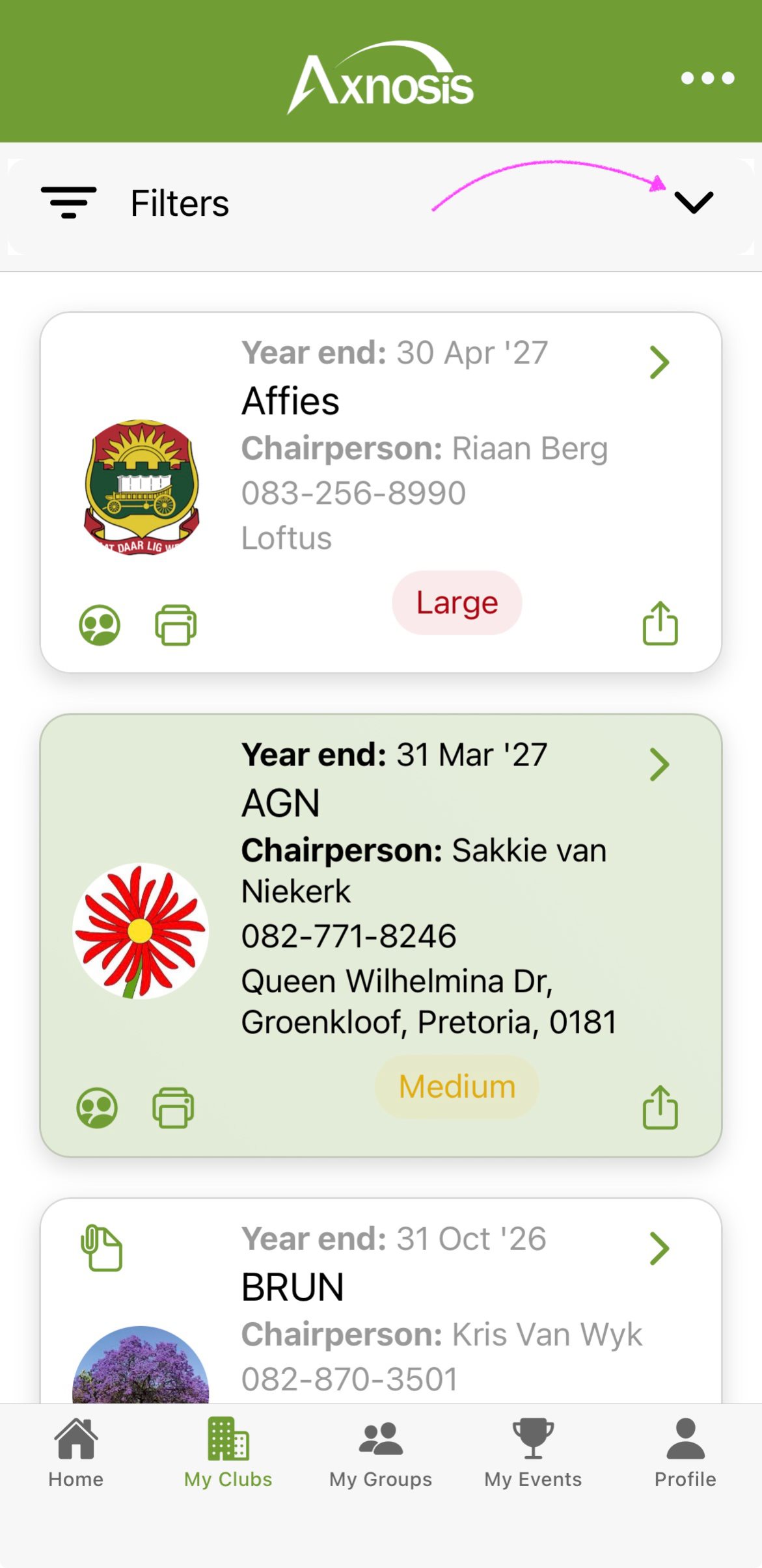
Regional type of clubs are identified by a light green background.
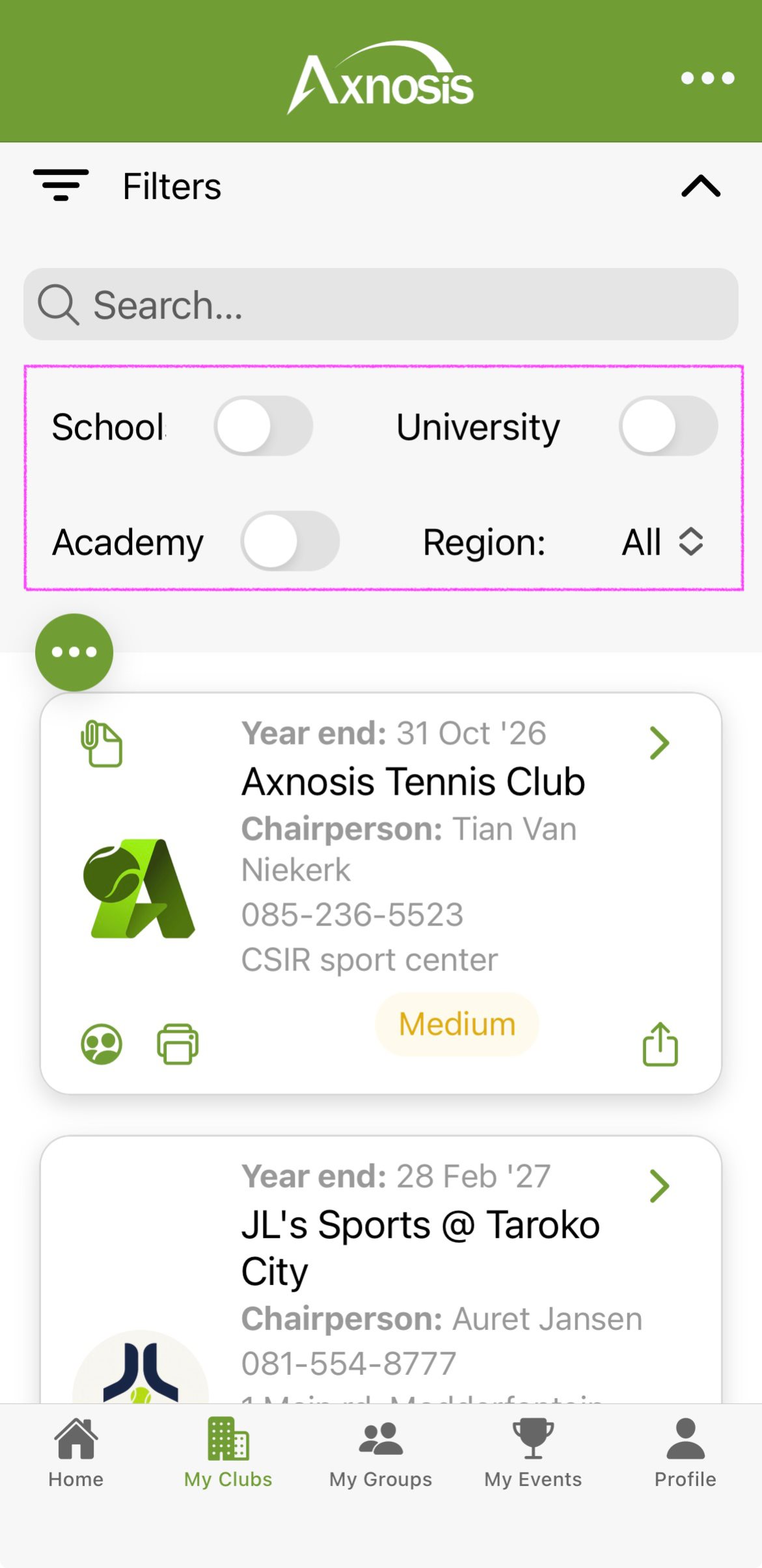
Open the Filters accordion and use the School, University and Academy toggles, as well as the Region filter, to help narrow down your search for a specific club.
| My clubs | Filters |
|---|---|
 |
 |
¶ Download club welcome pack/rules & more
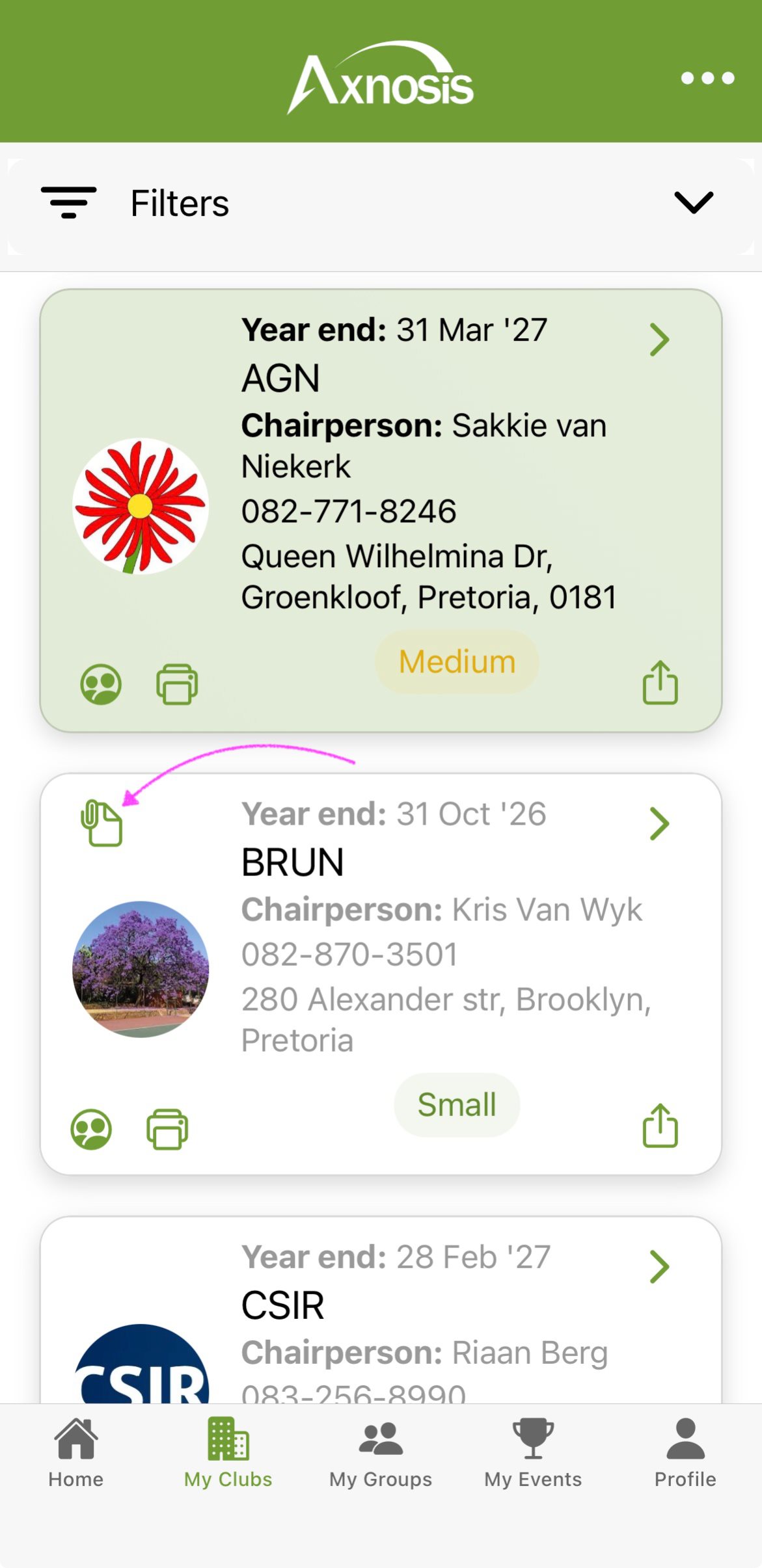
a. Players will be able to download and view any attached "PDF" documents for every club that they belong to.
- If a "PDF" document (Welcome pack, rules, contract etc.) was added to the club, an additional icon will be available in the top left.
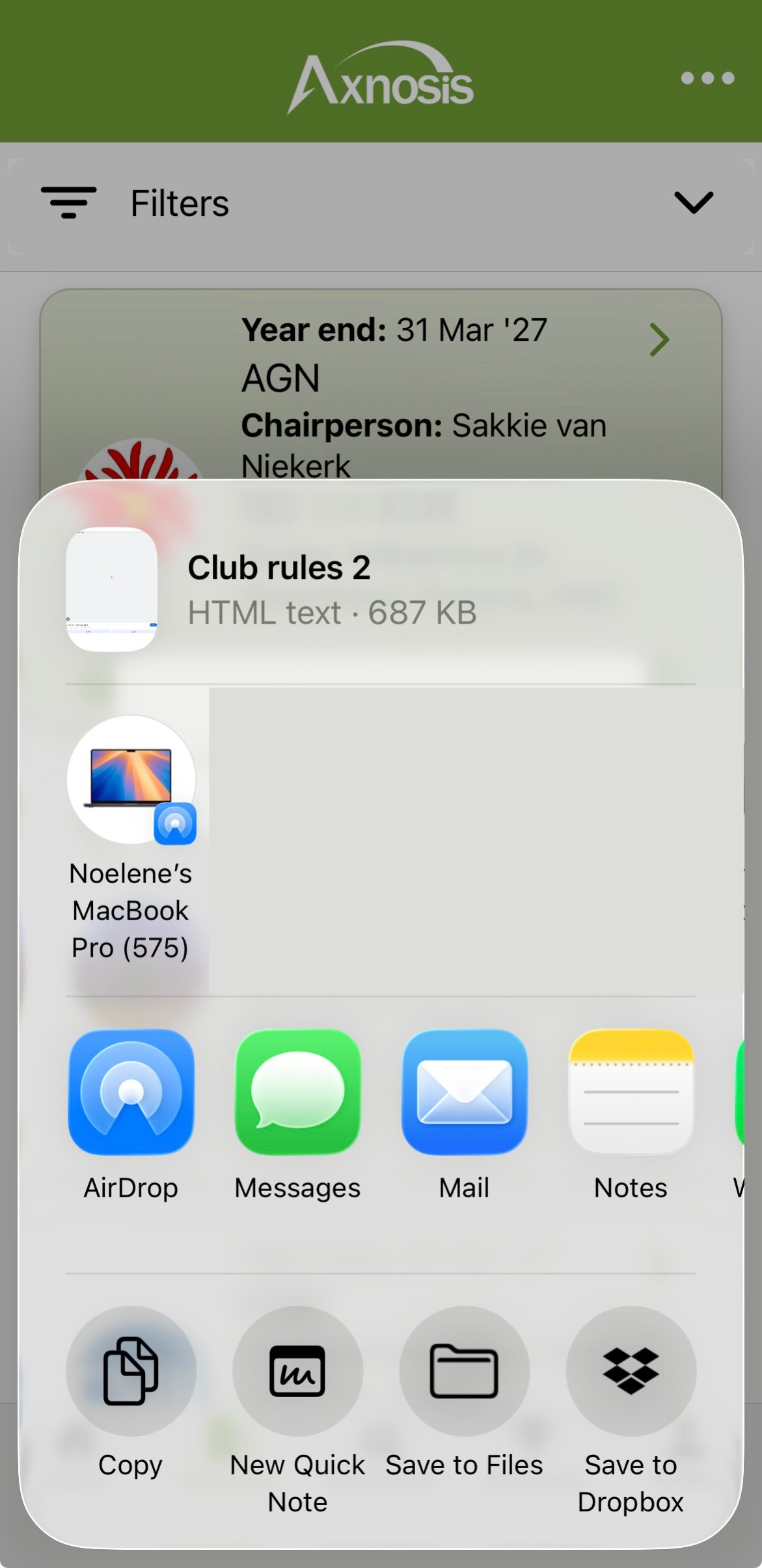
- Tap on the (attachment icon) to open and see the attached "PDF"
| Attachment | Save attachment |
|---|---|
 |
 |
¶ Making contact with representative
| Phone number | Call representative |
|---|---|
|
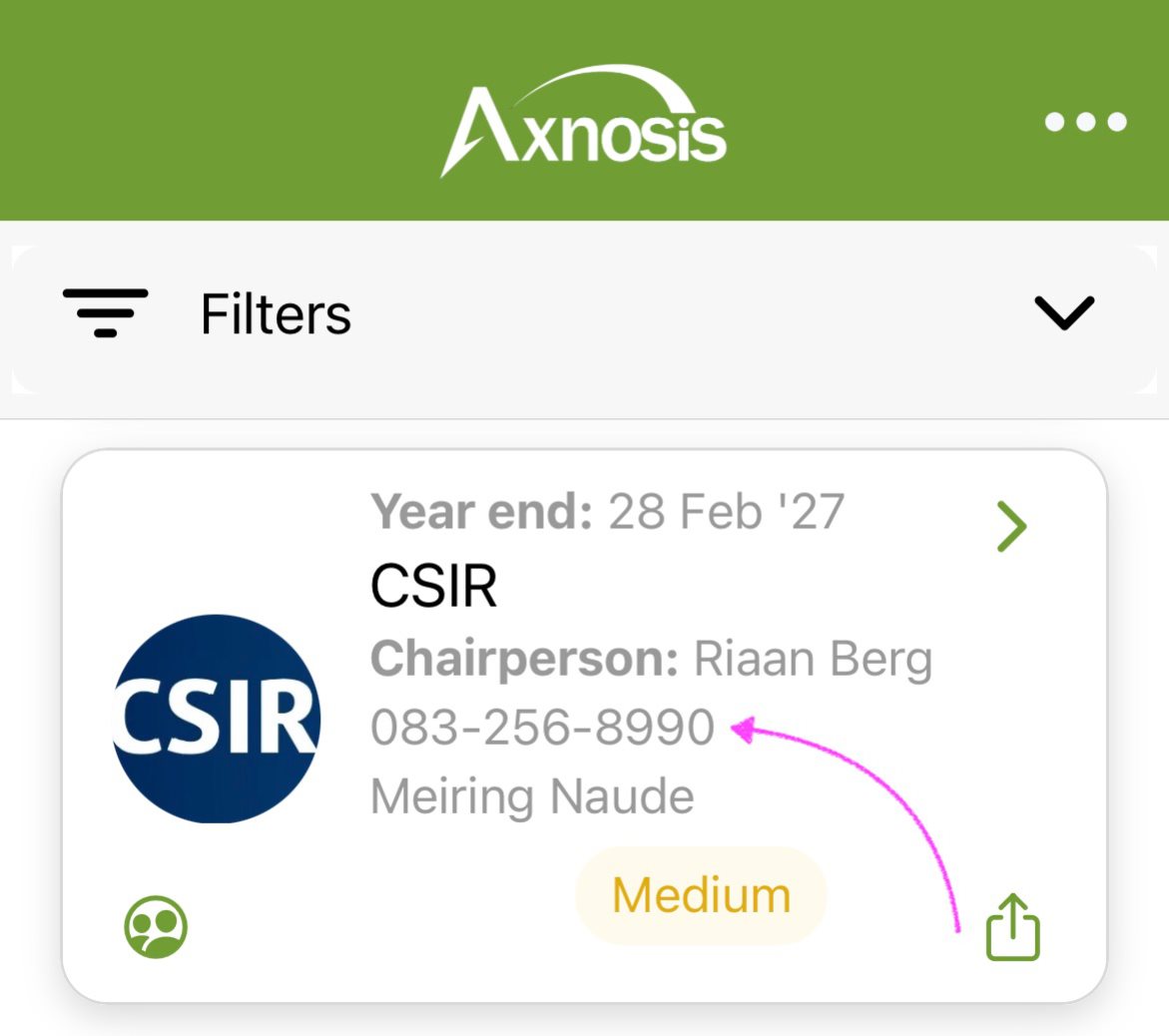
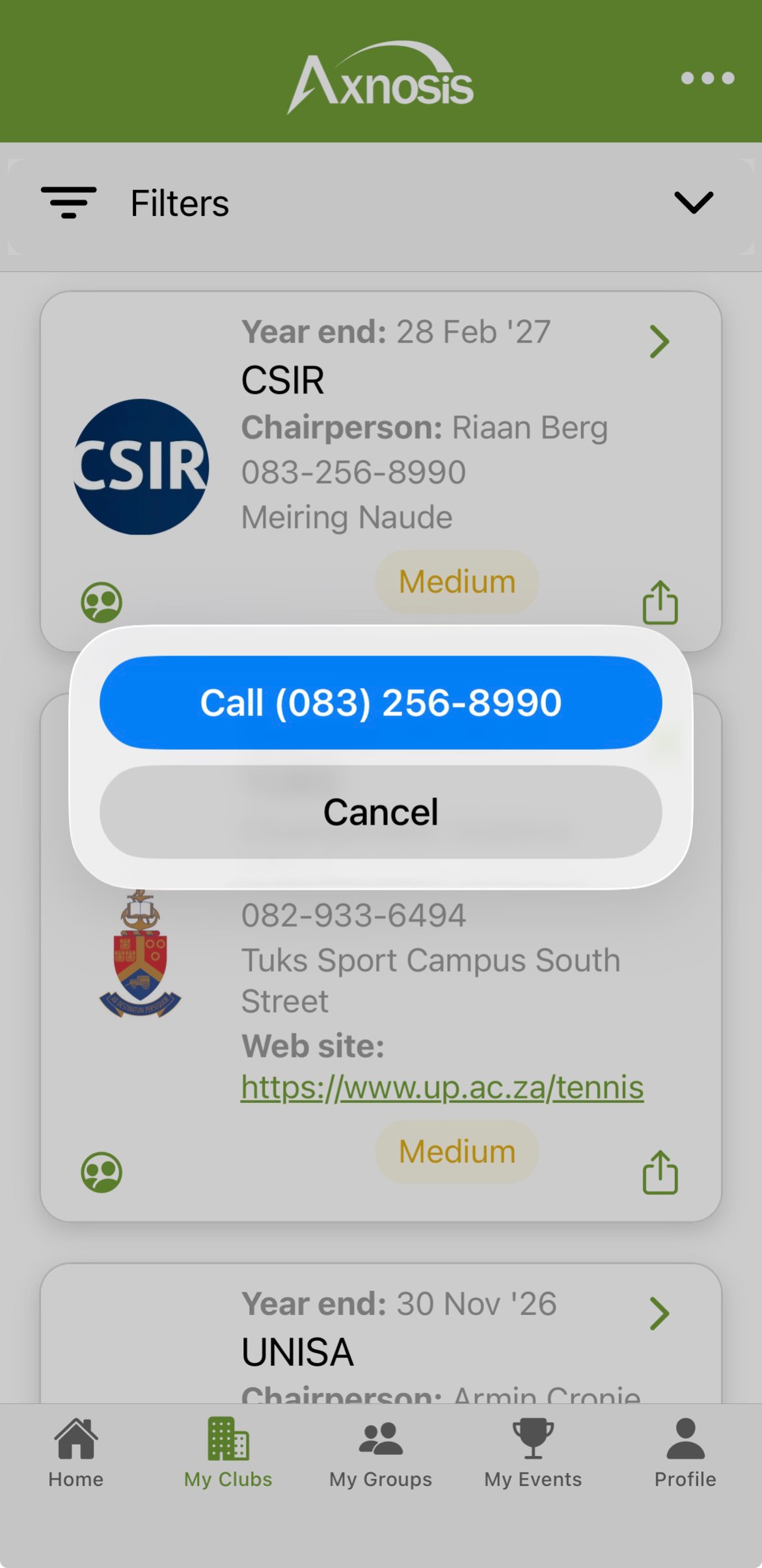
b. The contact details on a club card can be used to phone a club representative.
 |
 |
¶ Fellow club members
¶ My Club members list view
| Club members | View club members |
|---|---|
|
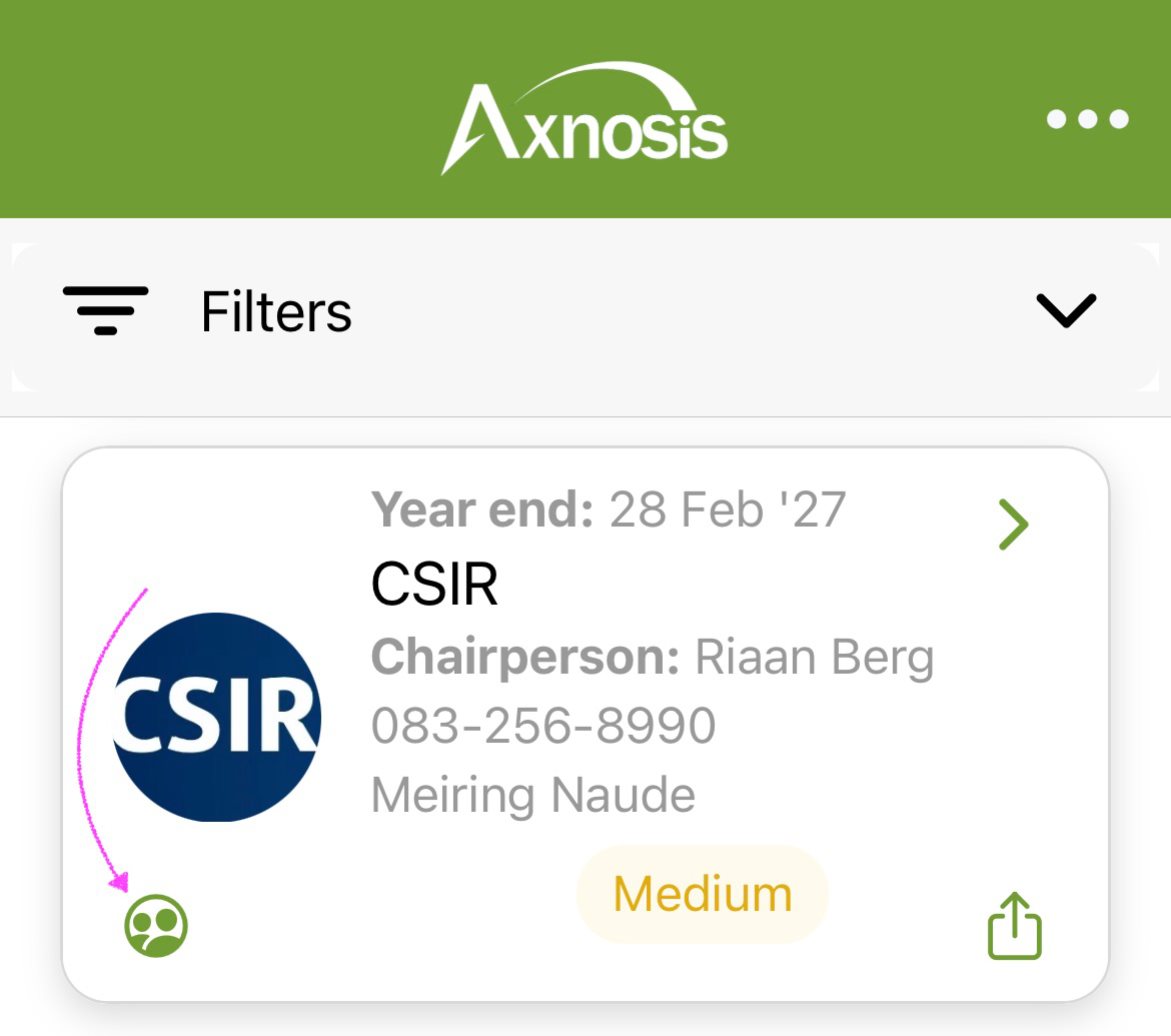
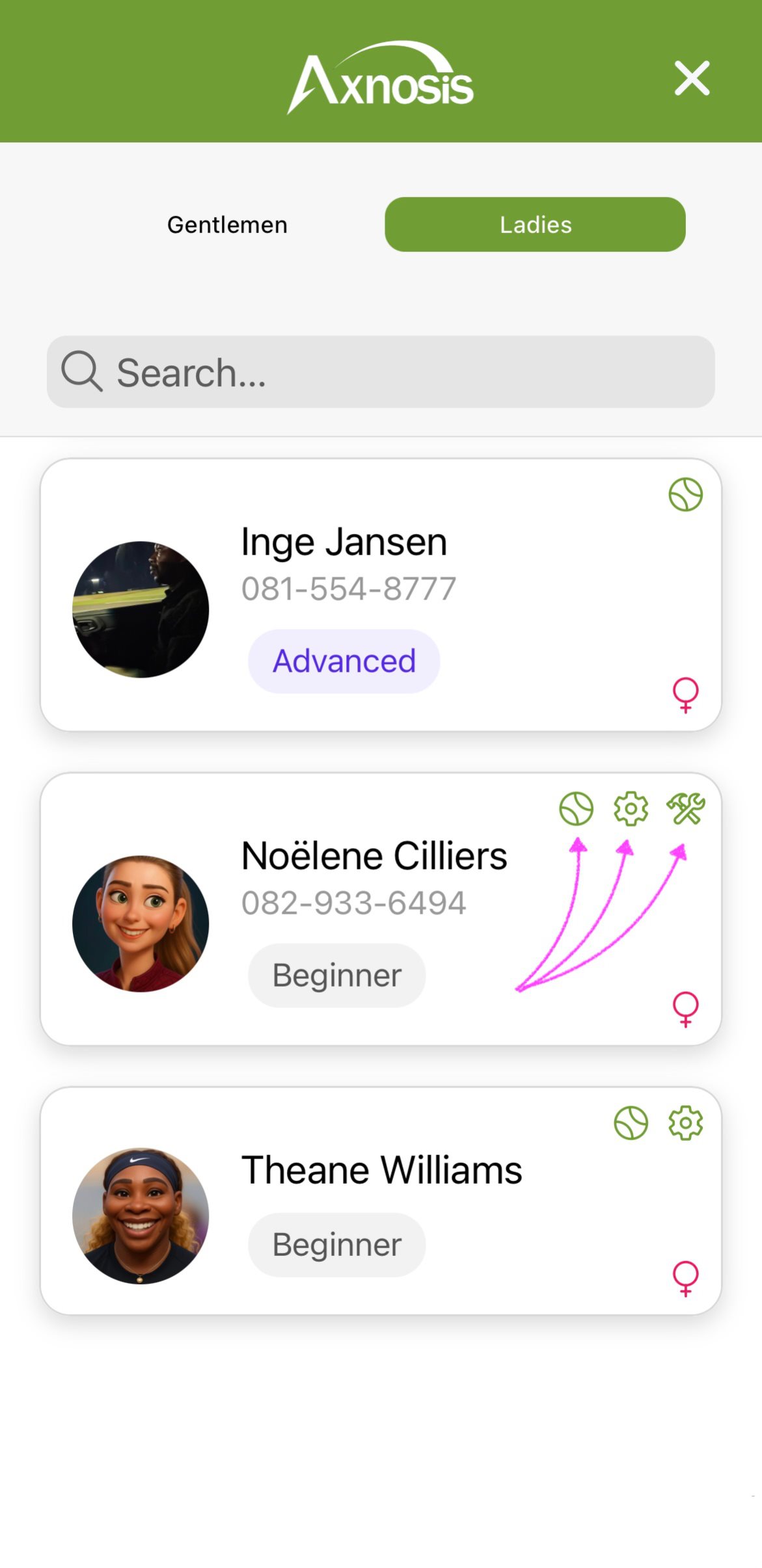
c. Club members are presented via the drill-down when tapping on the (people icon) bottom left.
 |
 |
¶ Share club information
| Share icon | Share club |
|---|---|
|
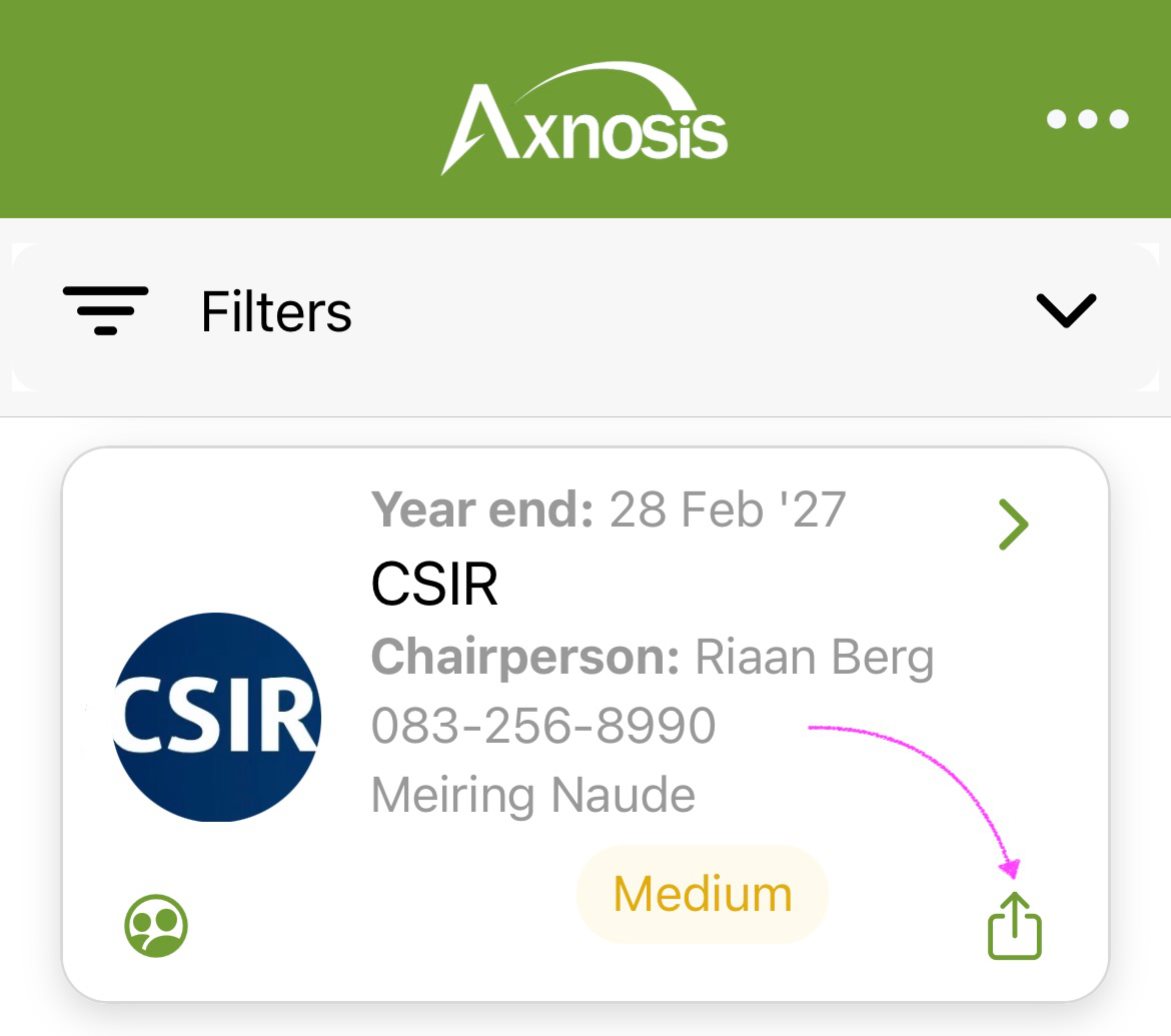
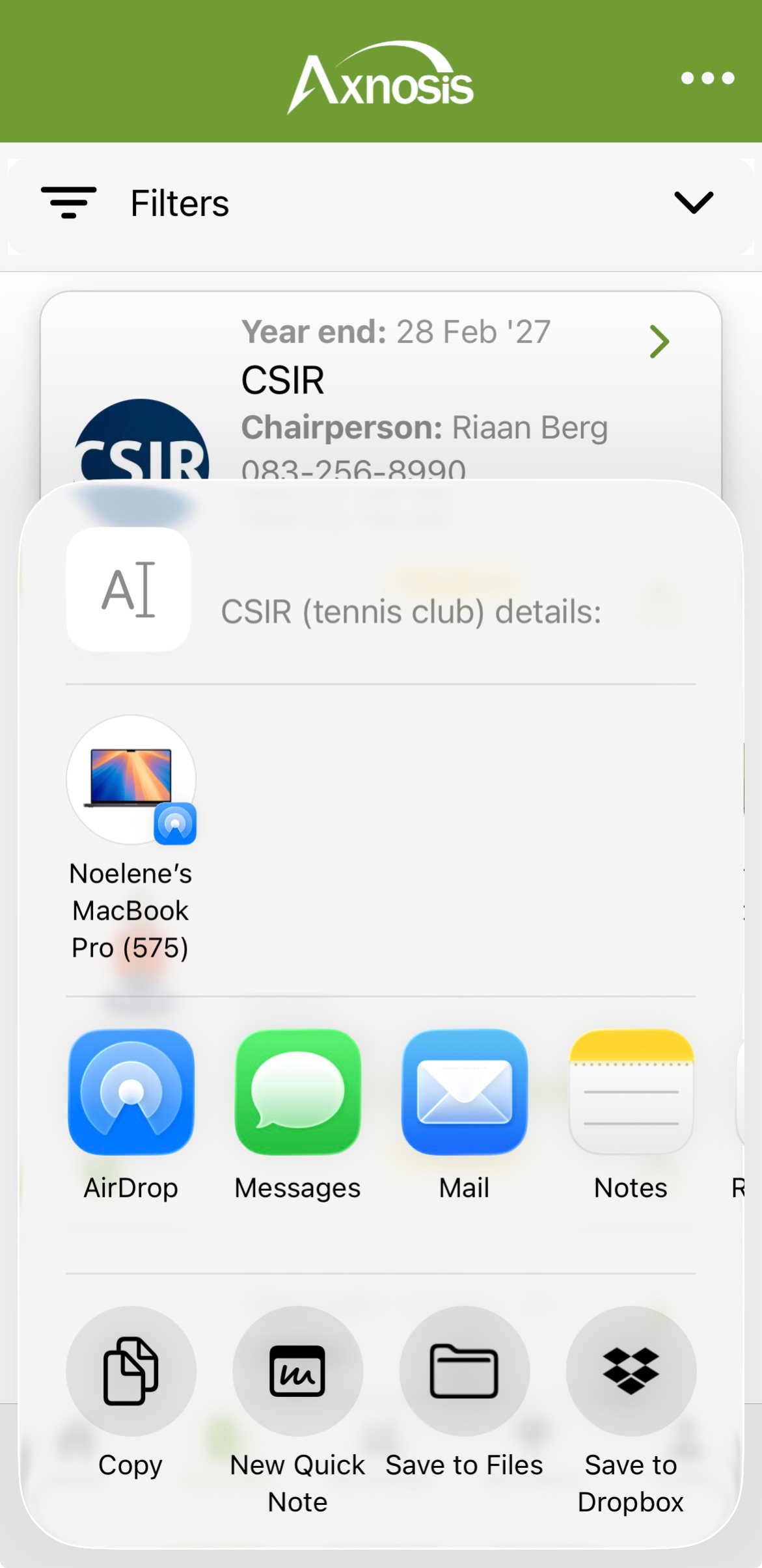
d. Committee members, as well as coaches, are visible via the share/export top right.
 |
 |
¶ Club detail
¶ How to get to the club
e. In the detail view of the club...
- Tap on the (chevron) top right of the card.
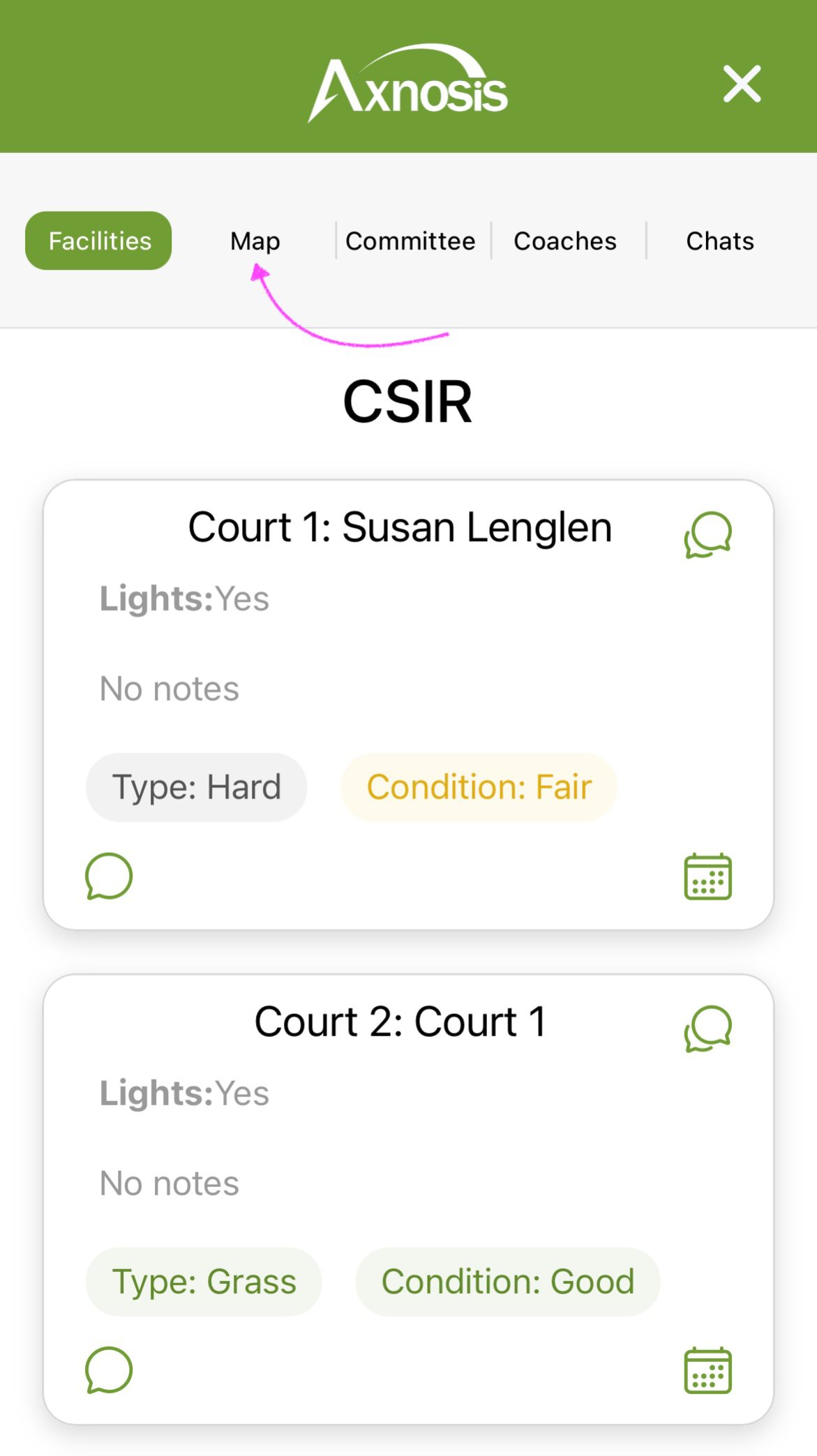
- Open the Map segment.
¶ Club courts, committee, and coaches
| View detail | Courts, Committee, and Coaches |
|---|---|
|
f. Important: a list of courts, committee members as well as coaches are accessible. 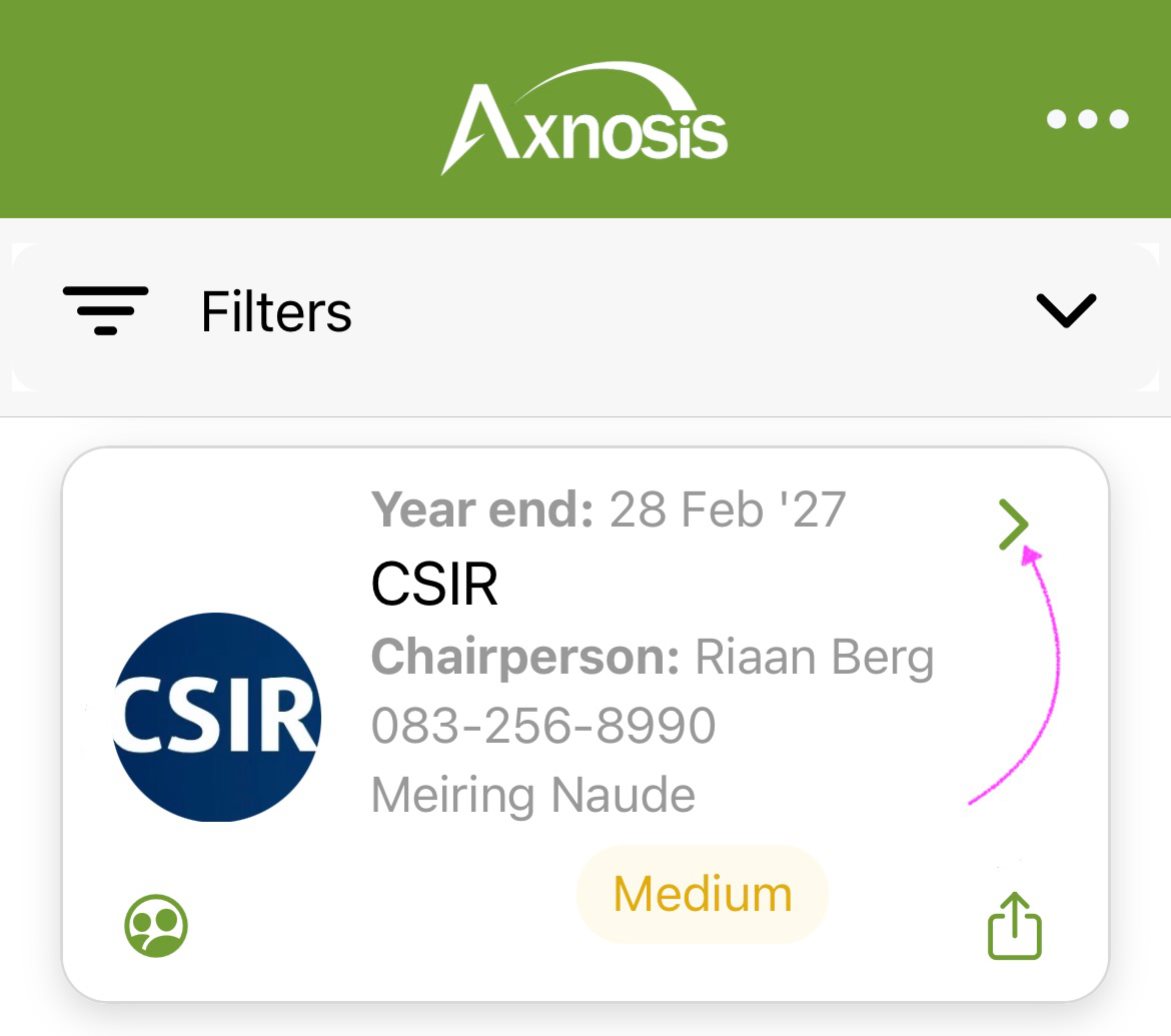 |
 |
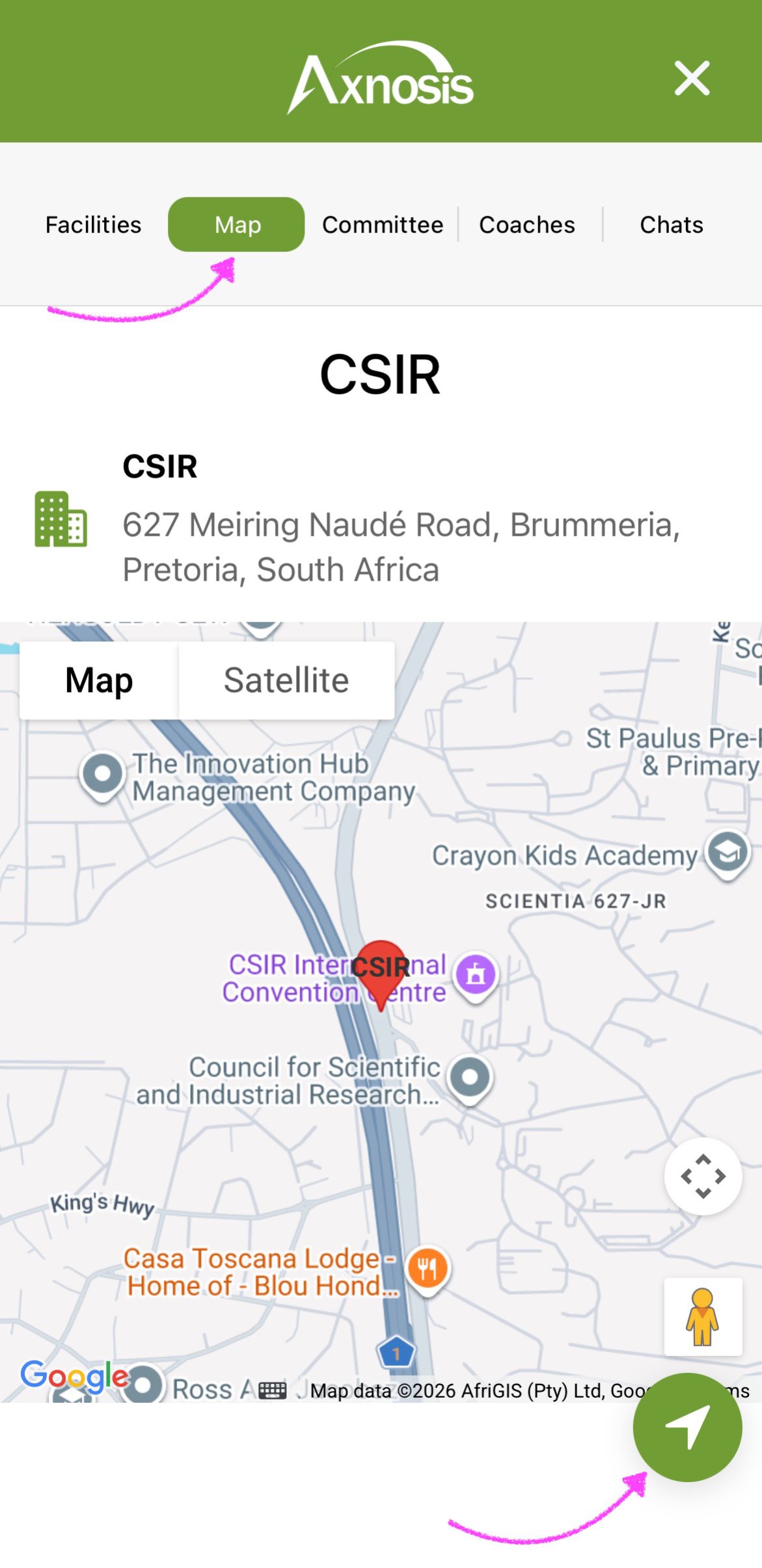
g. To view the location map of a specific club: under My Clubs, tap on the chevron of the club that you want view the location map of.
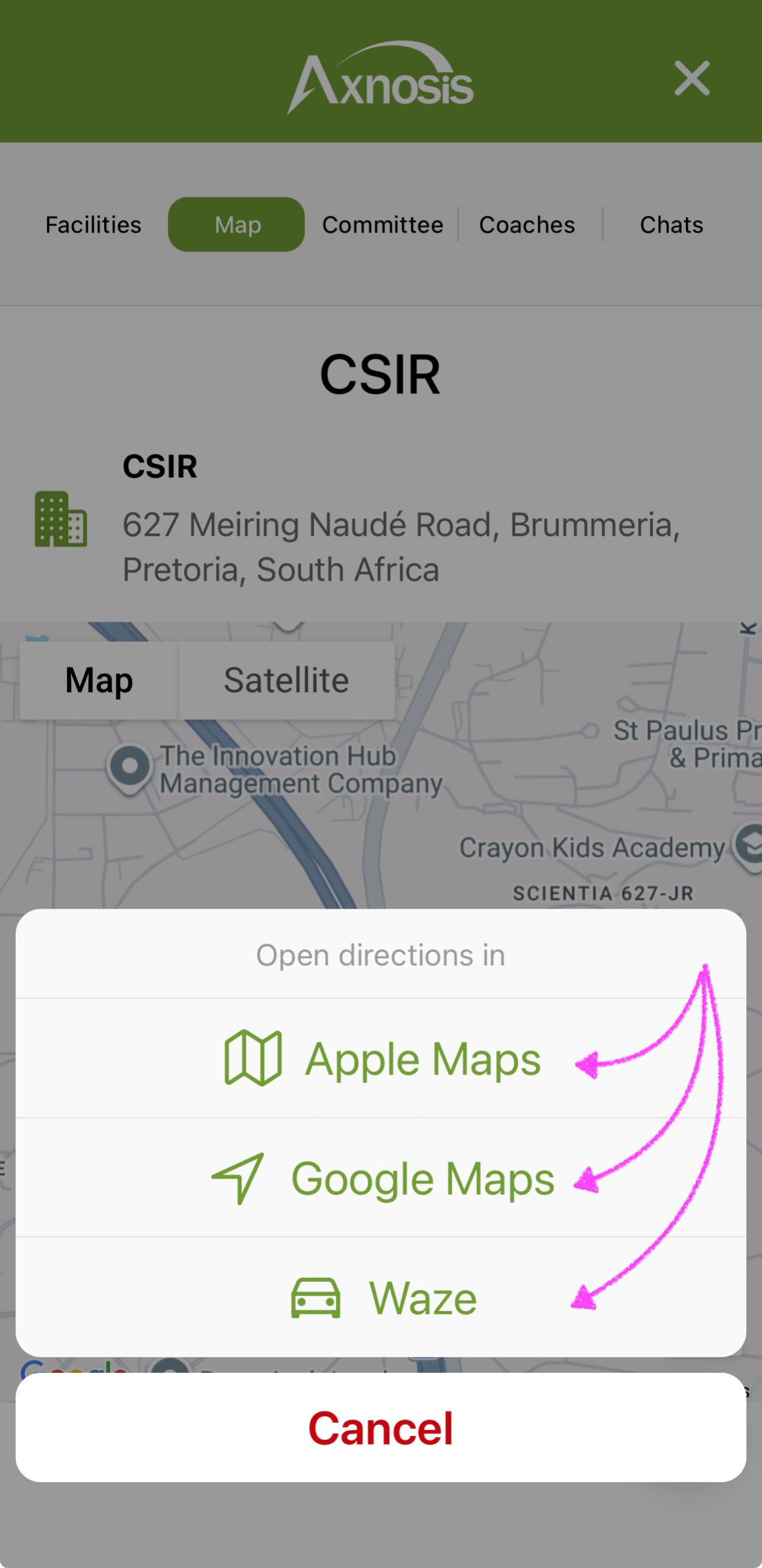
- Under the Map segment, tap on the (navigation icon).
- Select an application for opening the map.
| Map segment | Select an application |
|---|---|
 |
 |
¶ Booking of club facilities
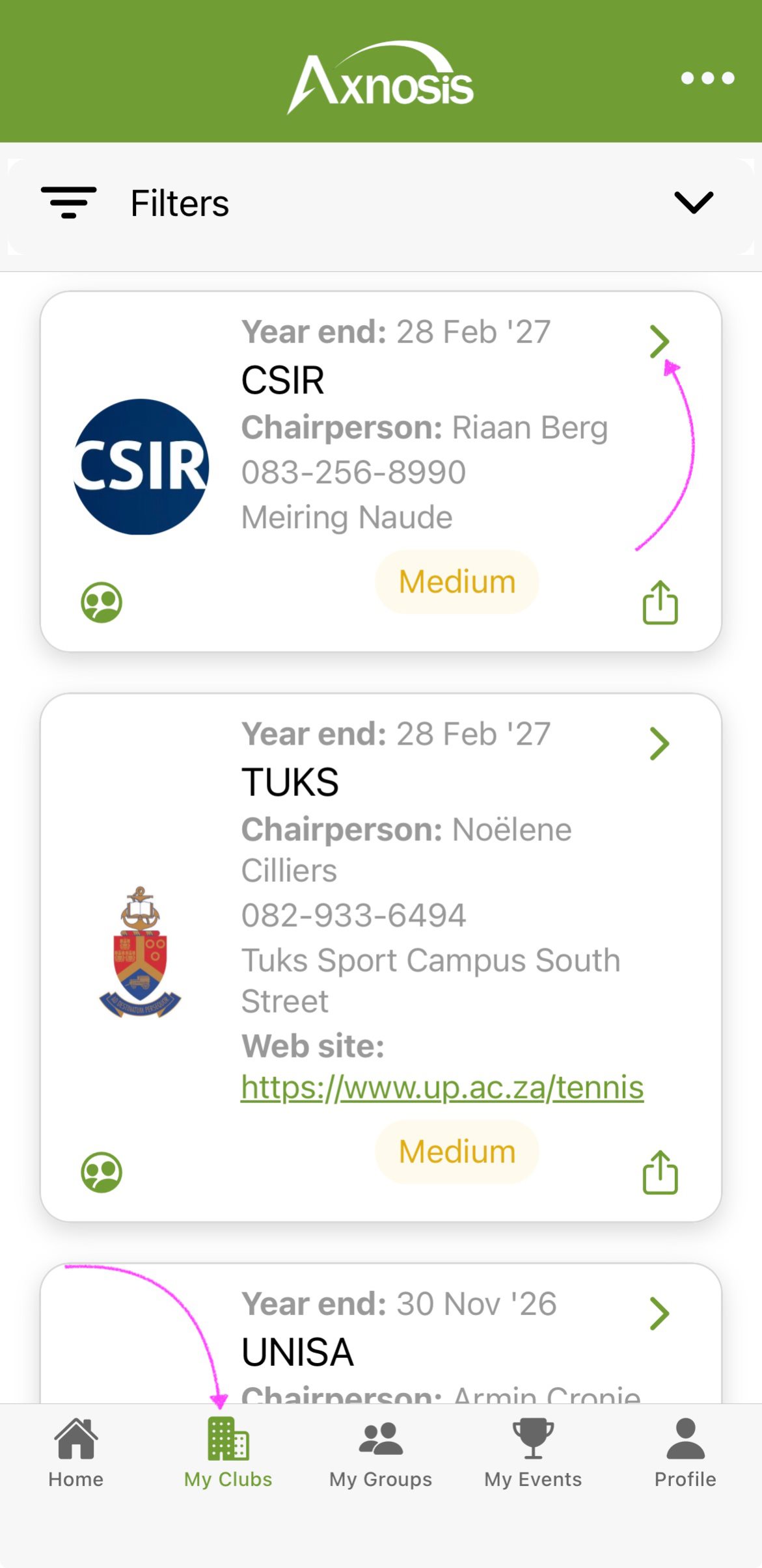
h. To make a booking for a specific court: under My clubs, tap on the chevron of the club where you want to book the court.
- Tap on the (chevron) top right of the card.
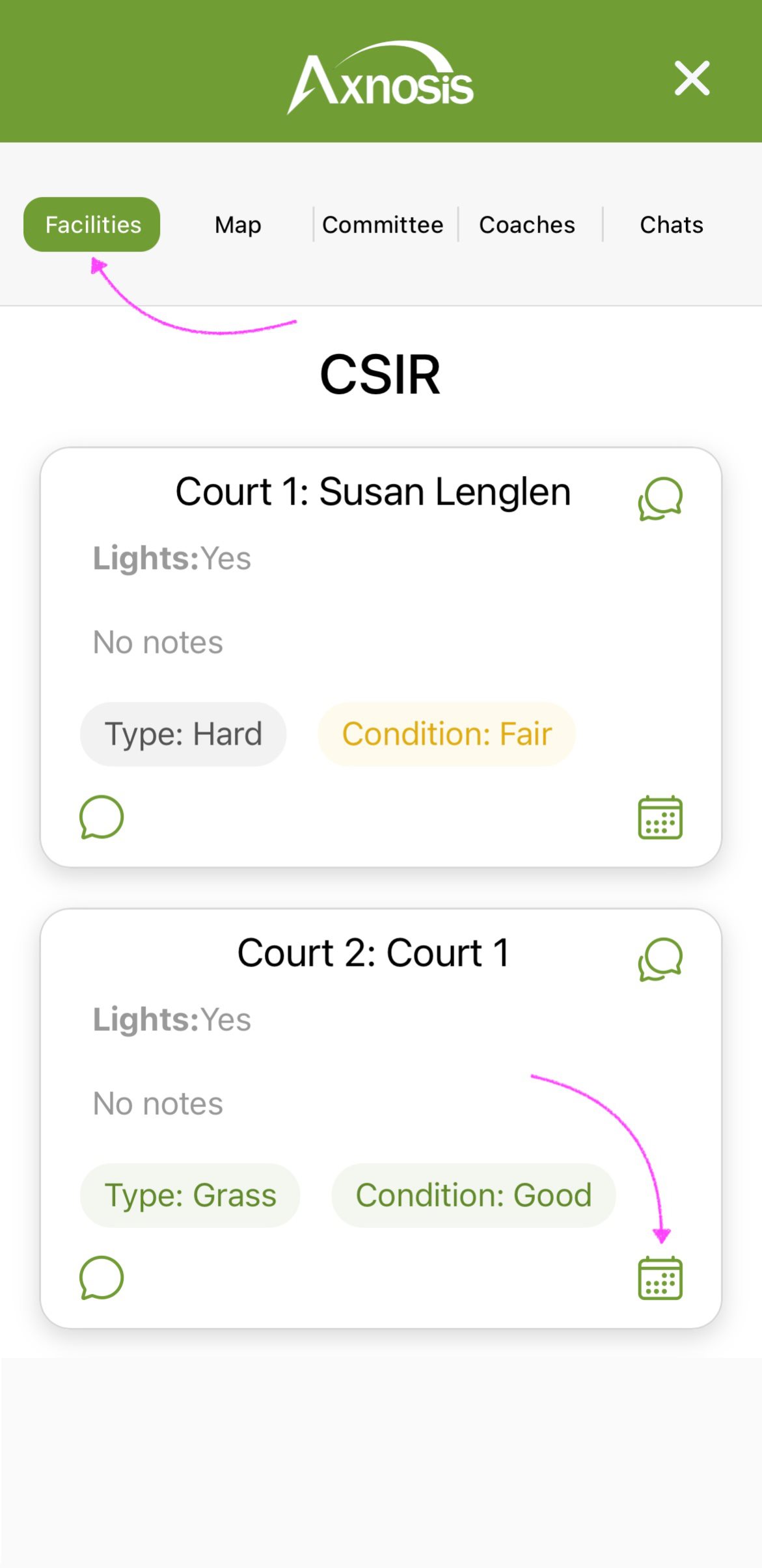
- Open the Facilities segment and tap on the (calendar icon).
| My clubs | Facilities calendar |
|---|---|
 |
 |
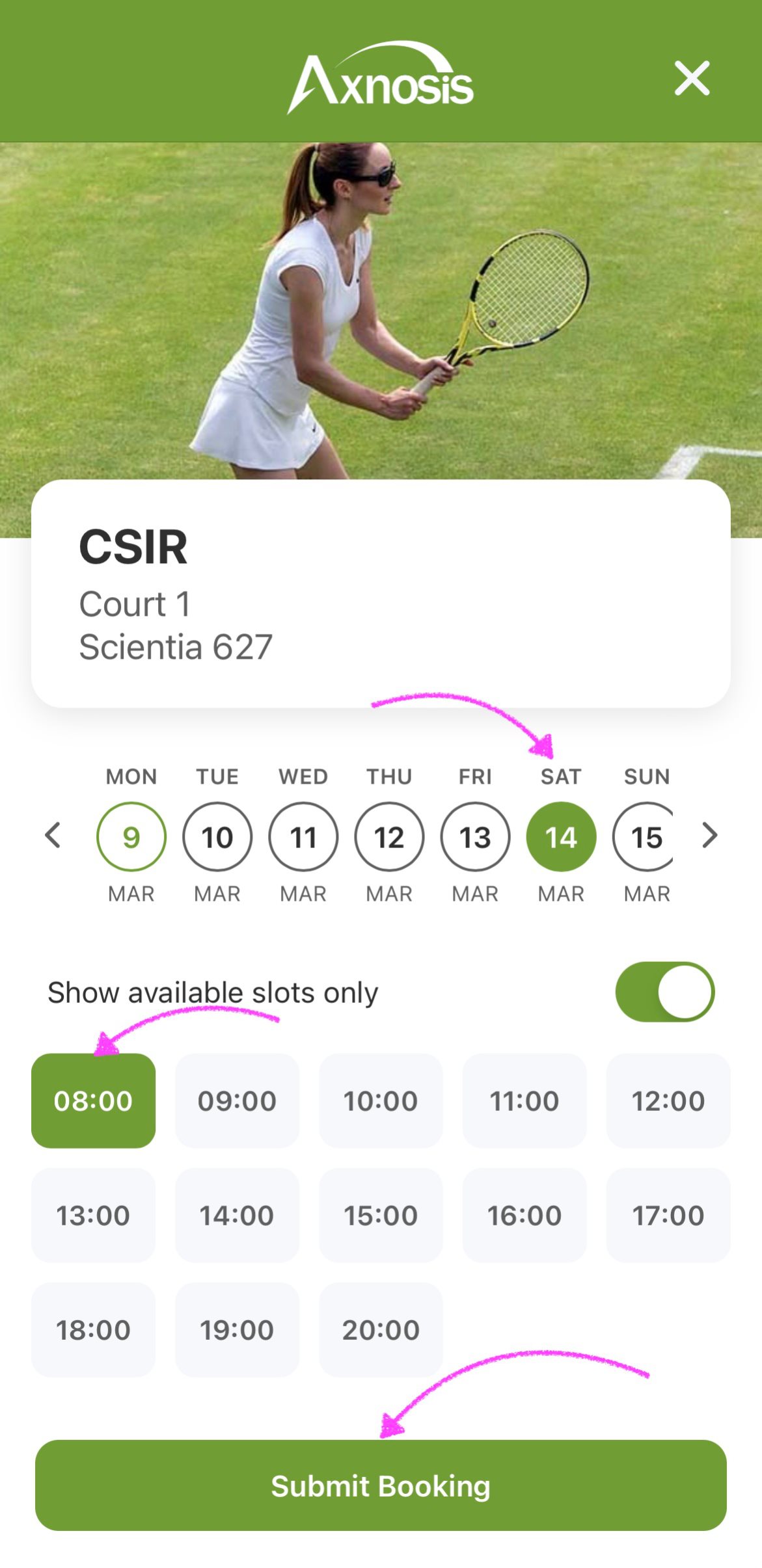
- Select the relevant date.
- You can move the Show available slots only slider to the left if you want to see all the slots (booked as well as available).
- Select the relevant time slot and tap on the Submit Booking button
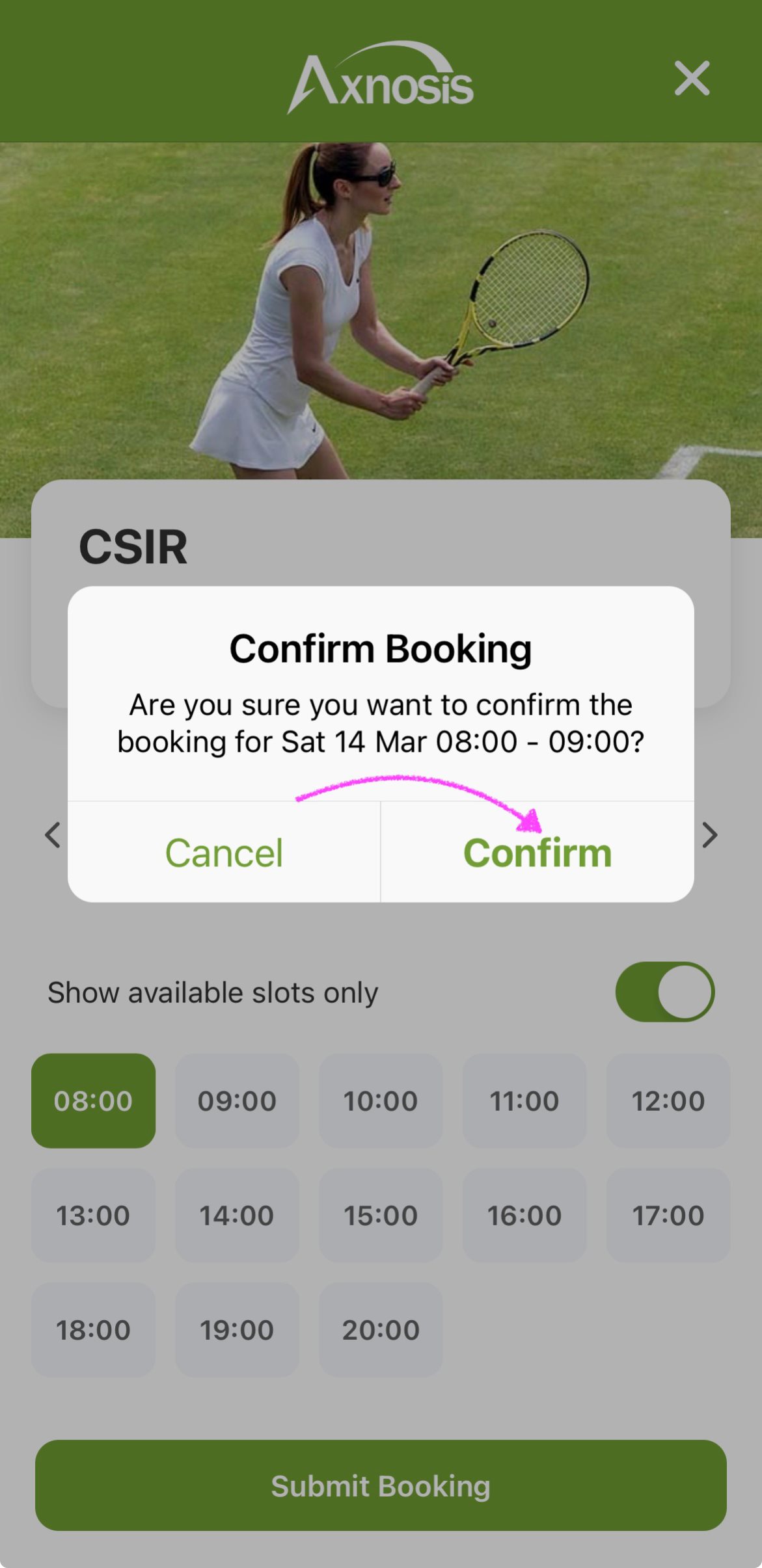
- Confirm your booking.
On confirmation of a booking, an automated push notification will be send to all members of the committee of the said club.
| My clubs | View court messages |
|---|---|
 |
 |
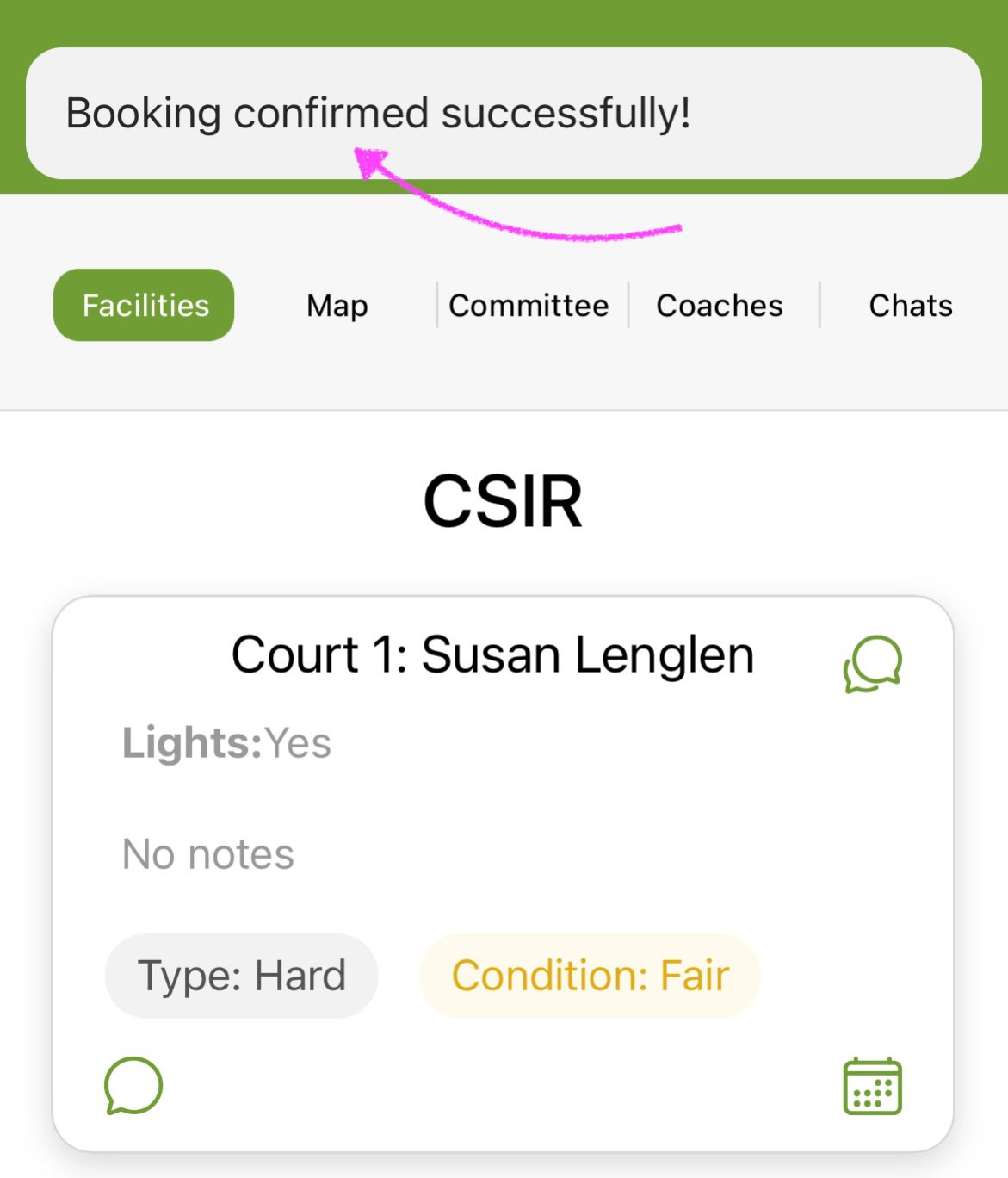
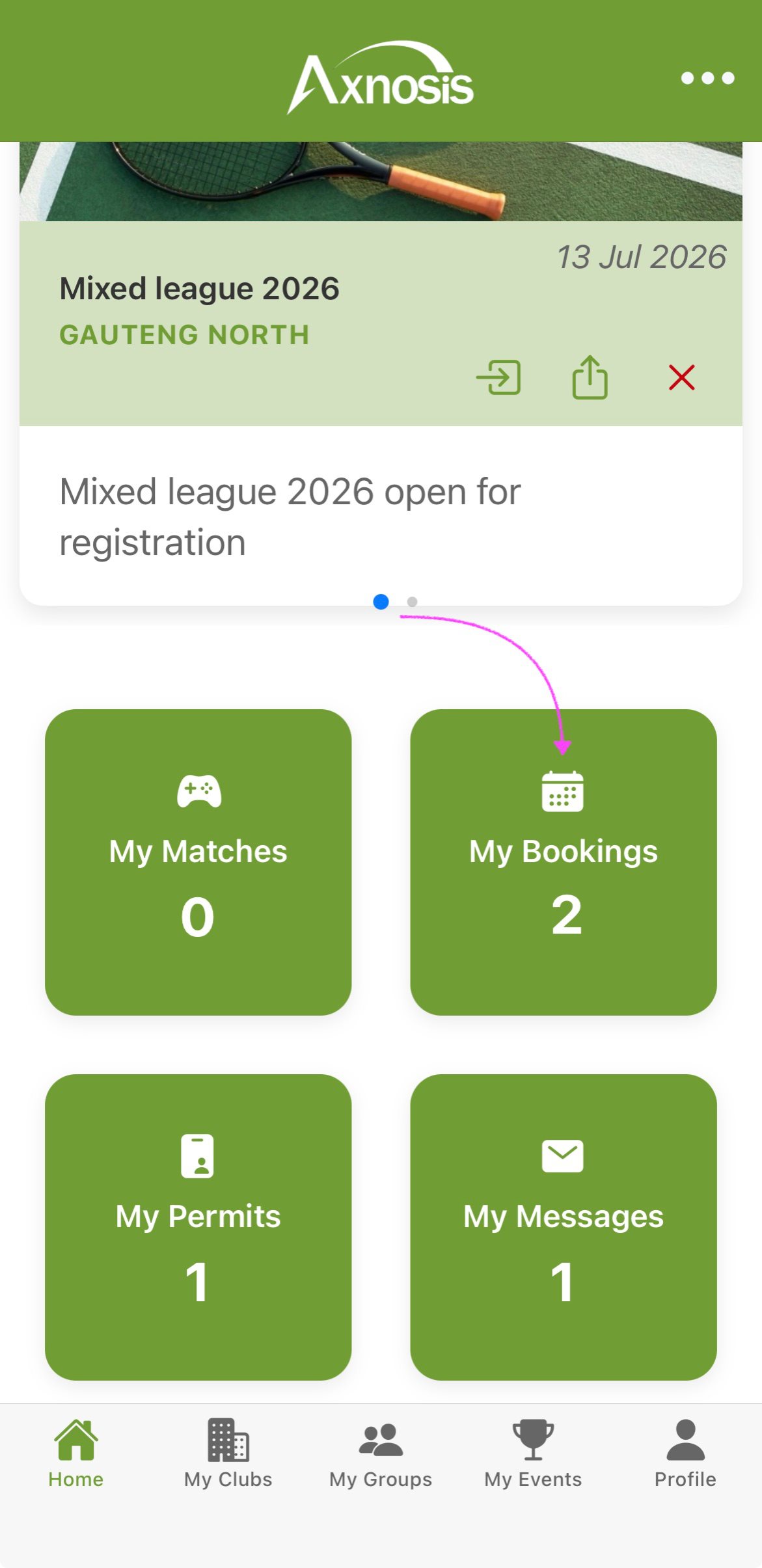
i. To remove or cancel a booking
- On the Home screen, tap on the My Bookings tile.
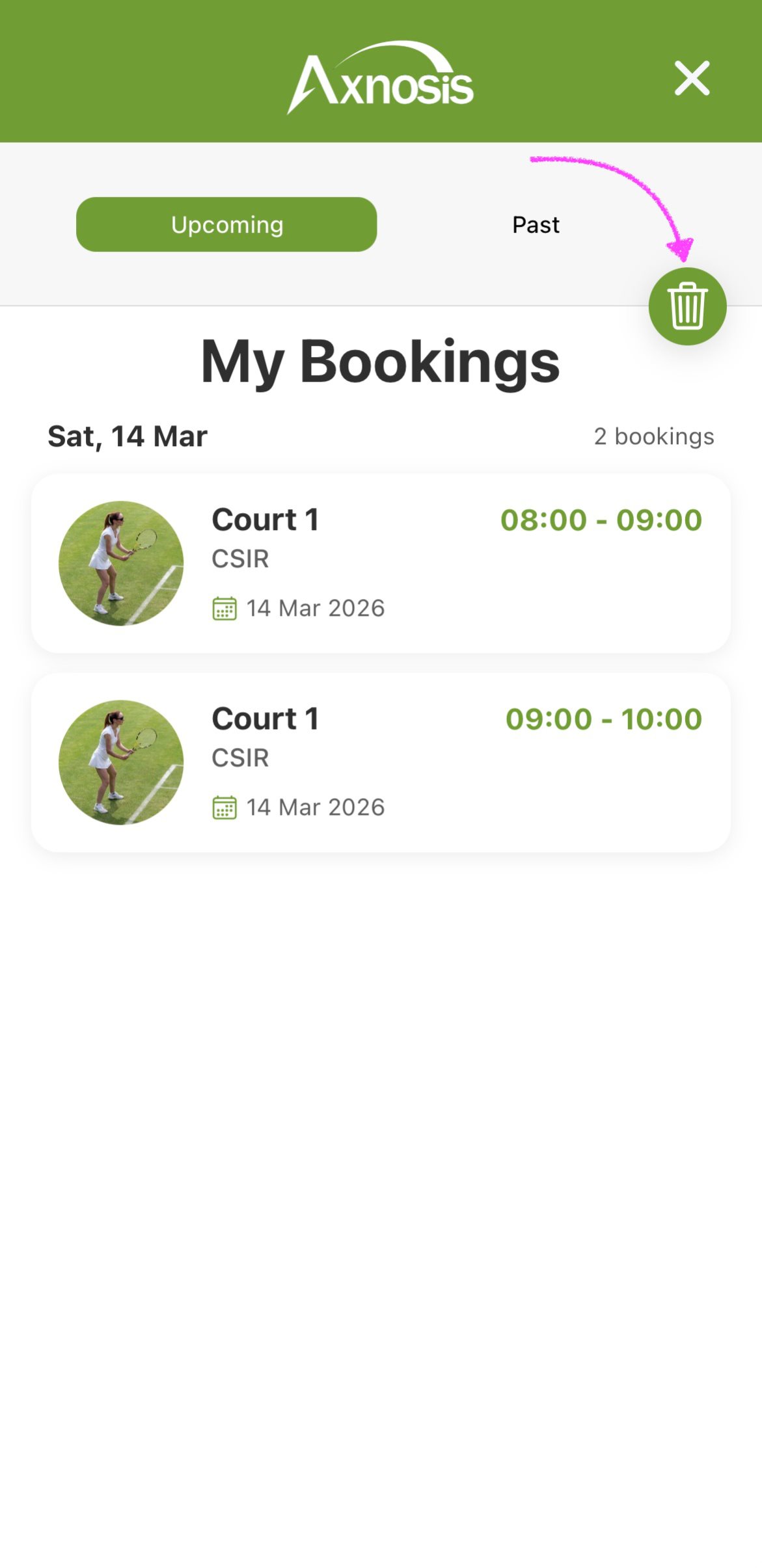
- Your bookings will be listed under the Upcoming segment.
- Tap on the (delete icon).
| My bookings | Upcoming bookings |
|---|---|
 |
 |
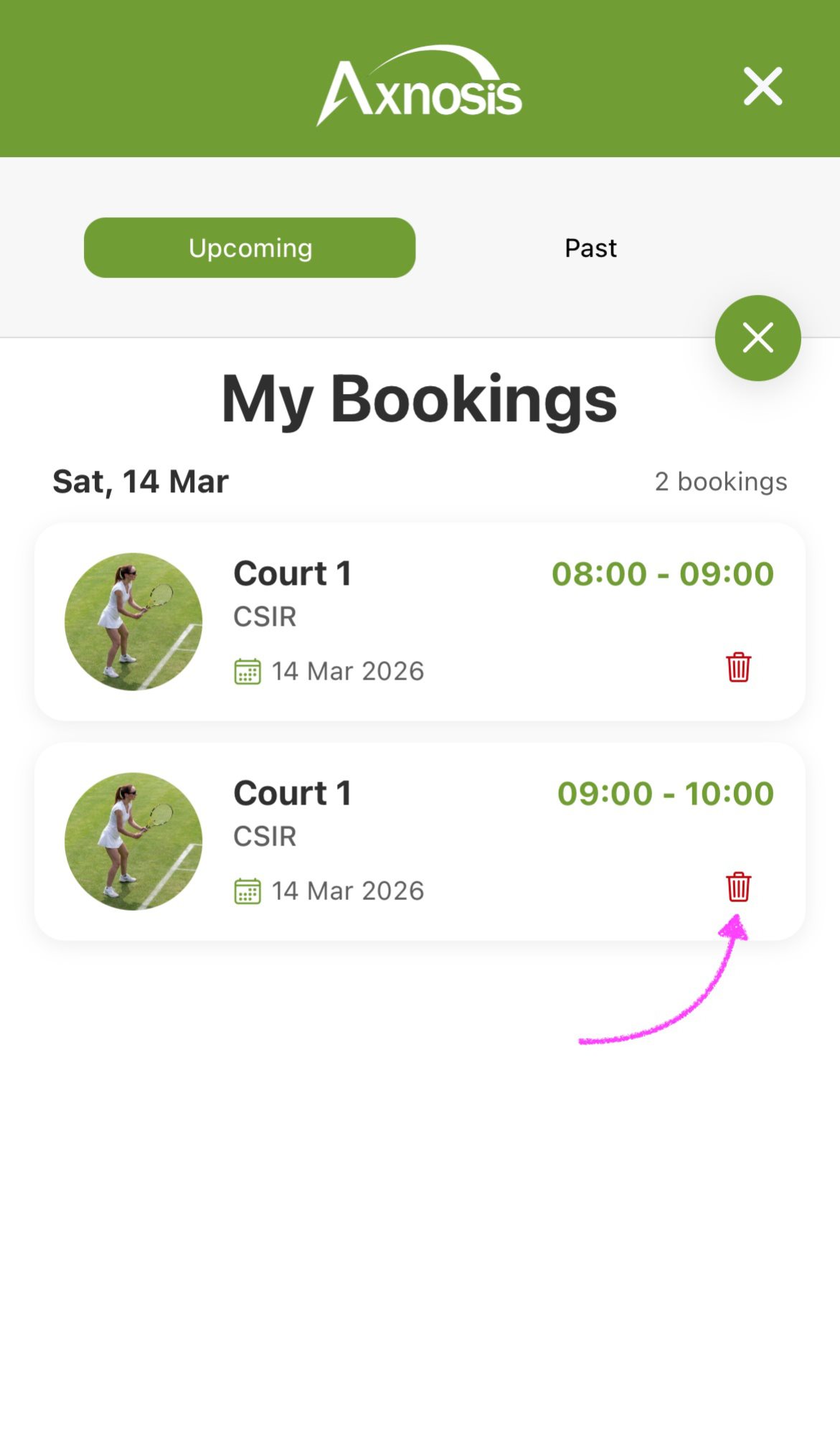
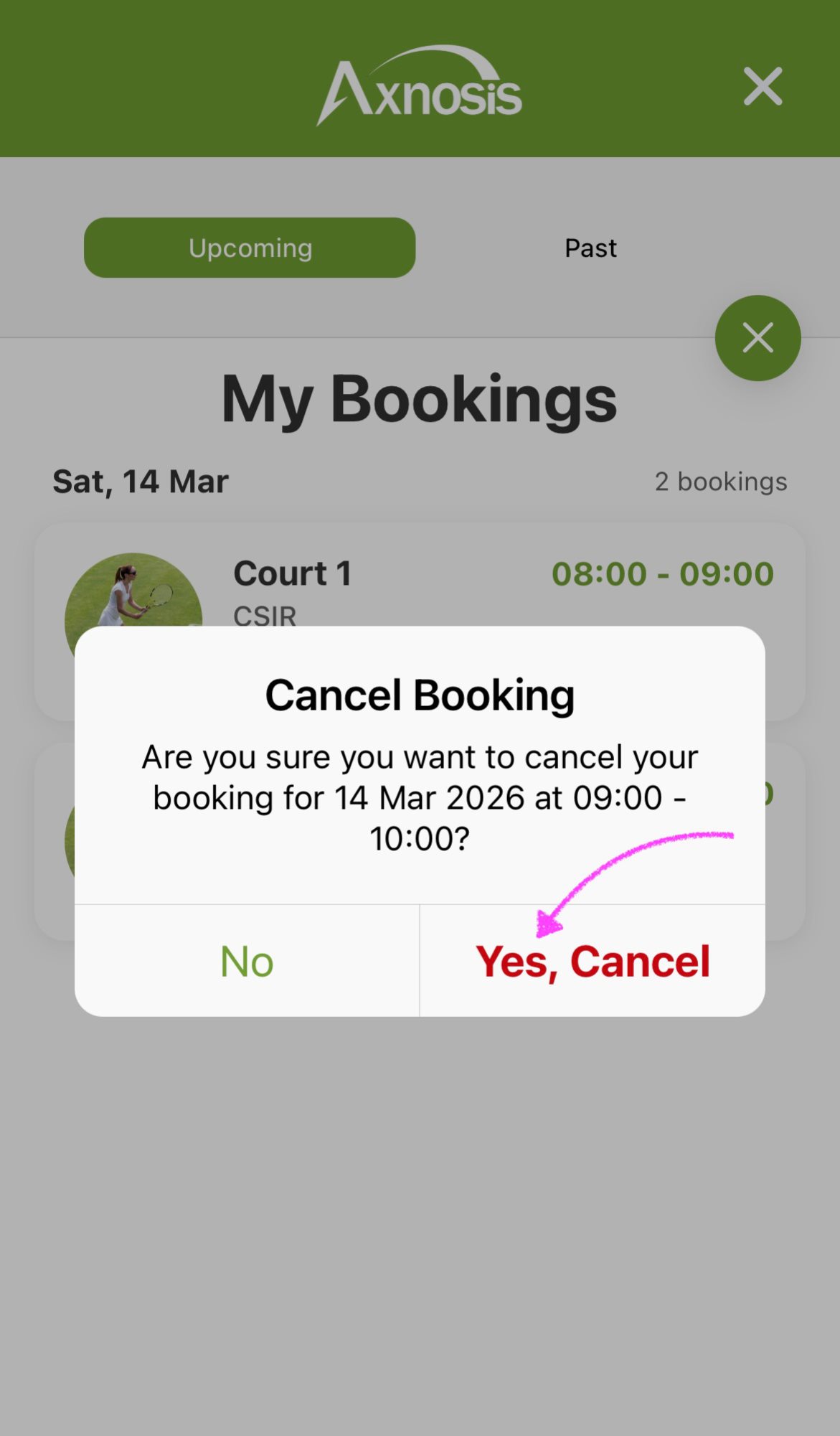
- Tap on the (delete icon) next to the booking that you want to cancel.
- Confirm that you are cancelling the booking.
| My bookings | Confirm cancellation |
|---|---|
 |
 |
¶ Report and incident
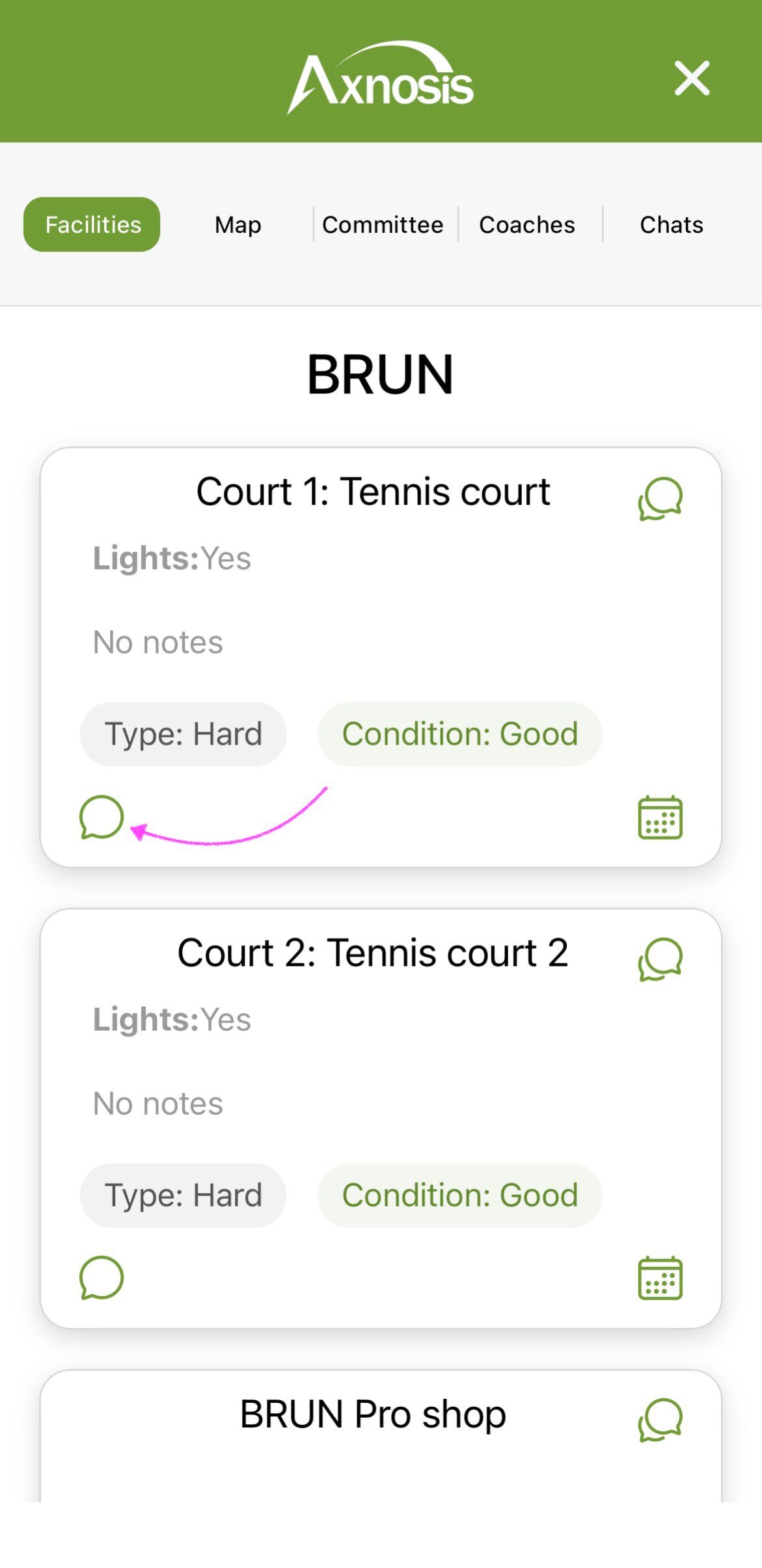
j. Under the Facilities segment, tap on the (chat icon) bottom left.
| Facilities | Court messages |
|---|---|
 |
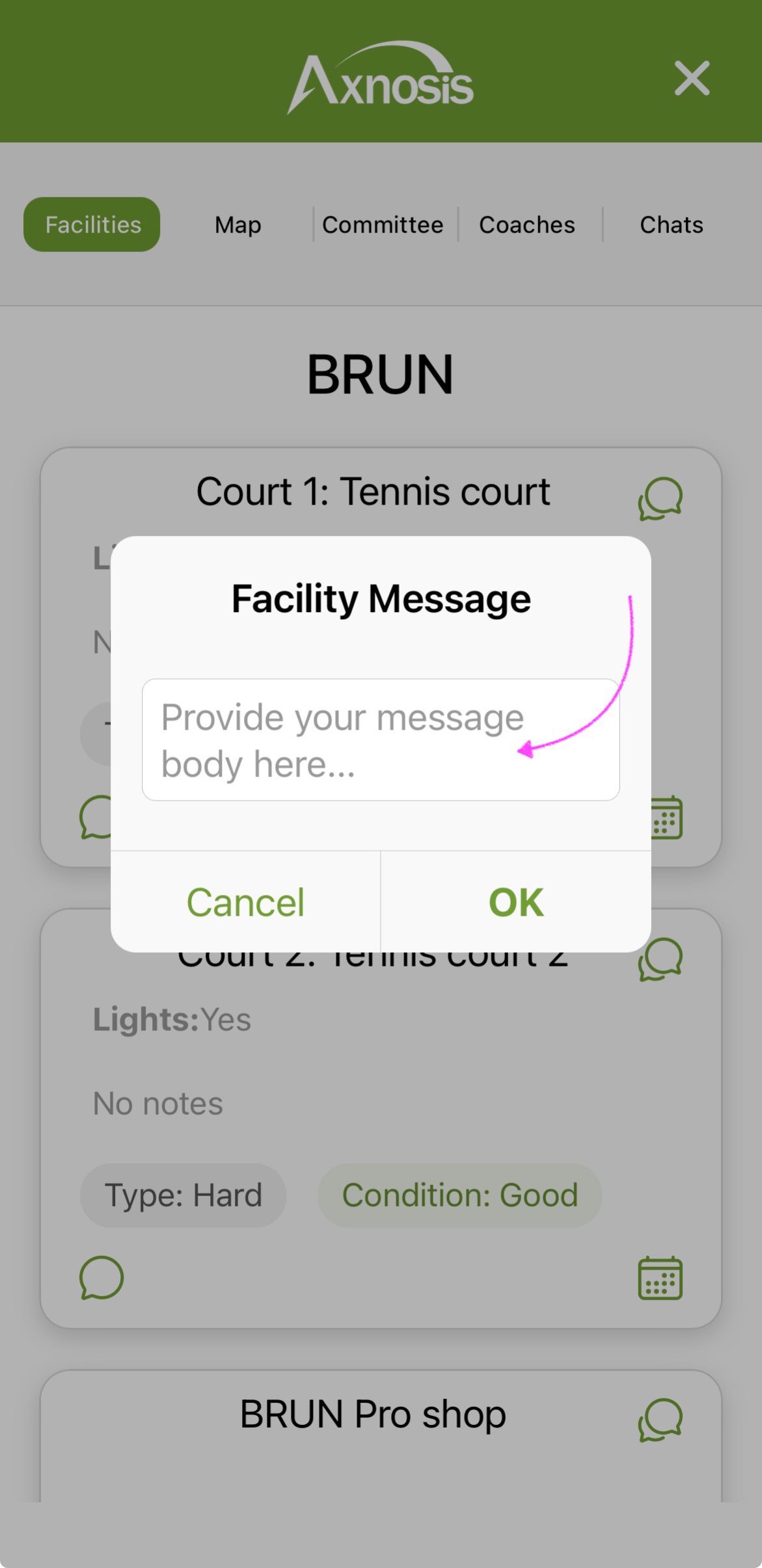 |
When ever "incidents" are reported via the My clubs option, a push notification will be send to all members of the committee of the club.
¶ View reported incidents
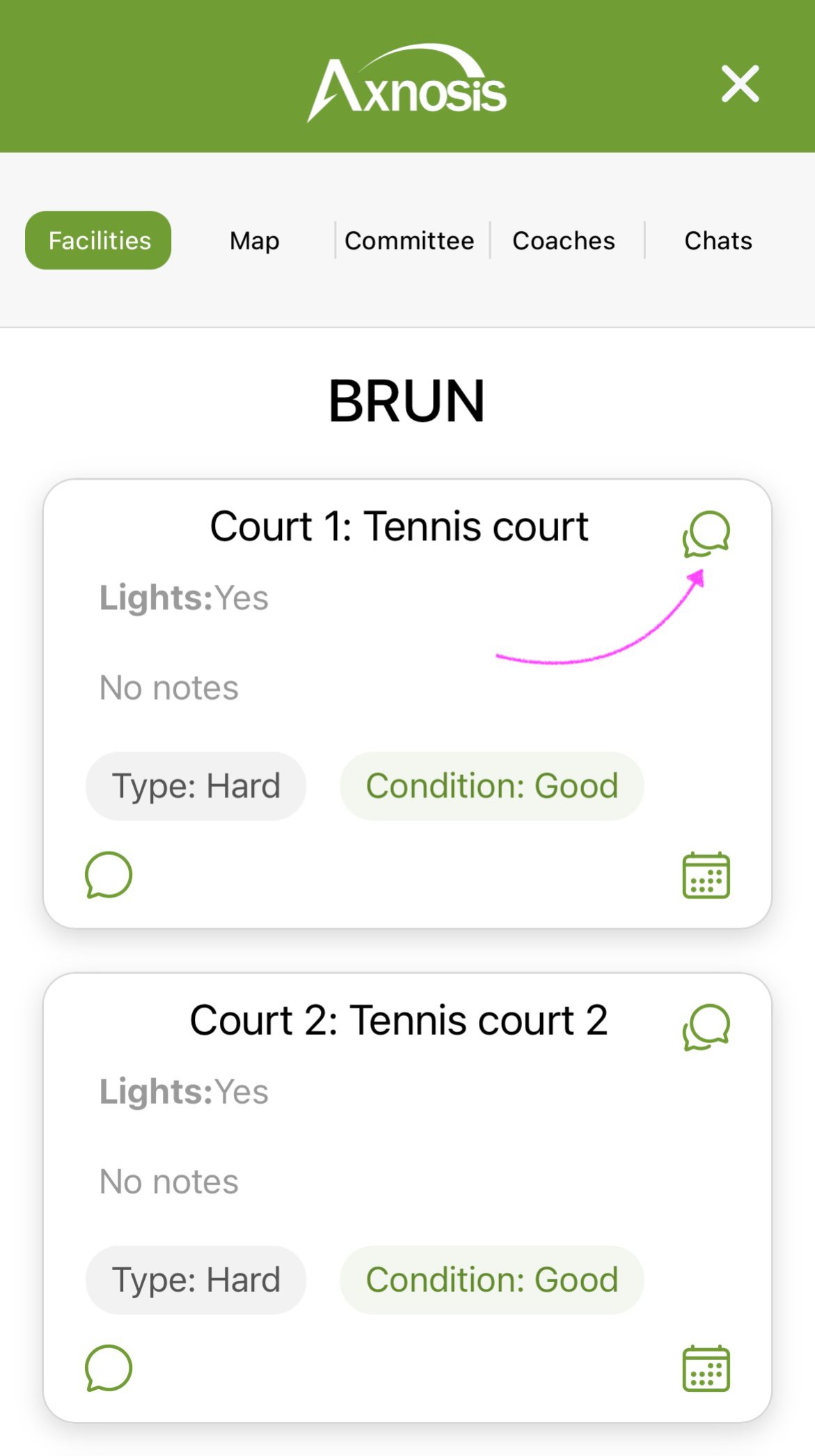
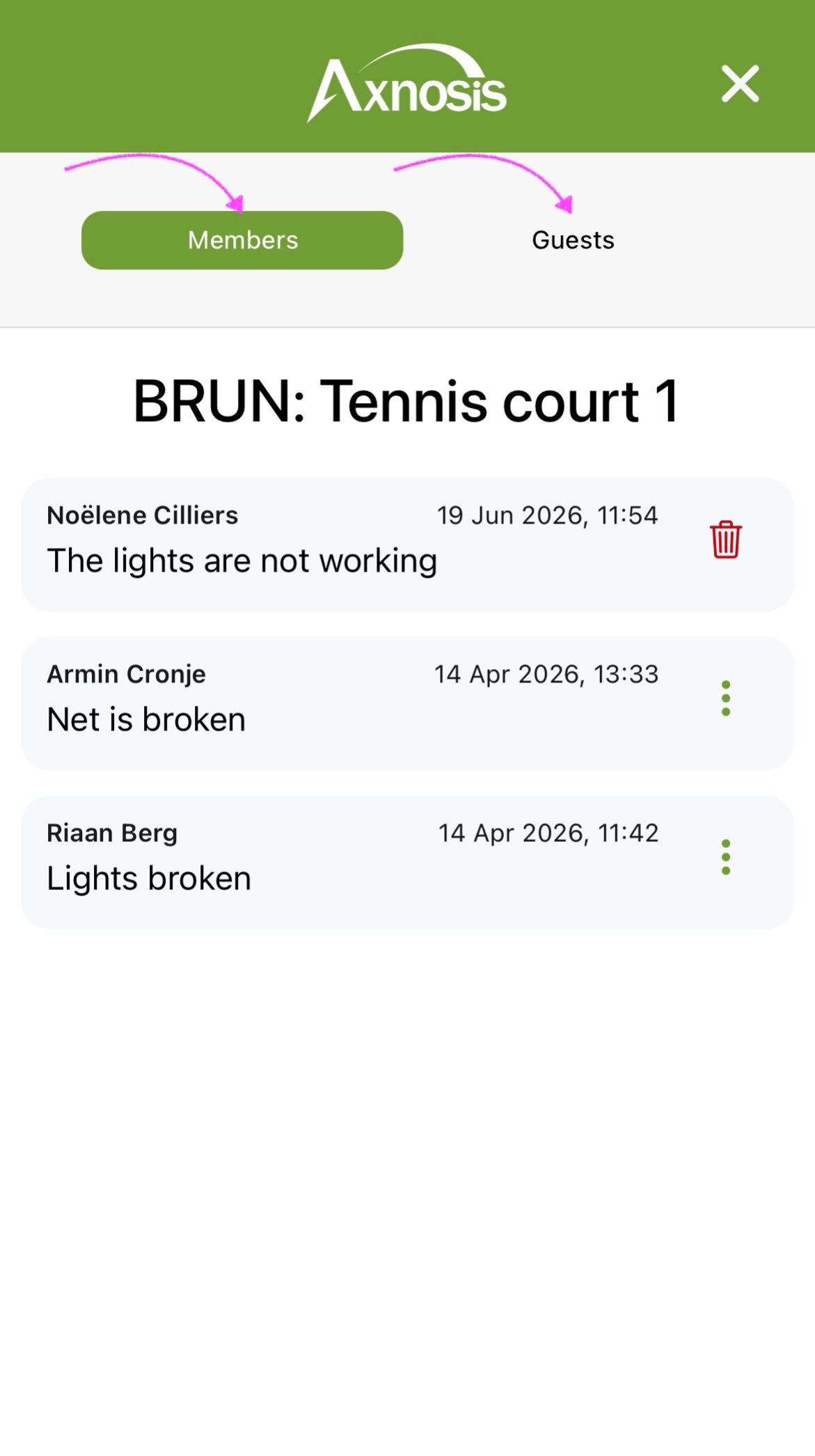
k. To view any messages that were created for a specific court, tap on the (chats icon) in the top right corner. Messages are grouped under Members (list of messages sent by the club members), and Guests (list of messages sent by guest users of the TAP mobile app)
| Courts | View court messages |
|---|---|
 |
 |
¶ Banking details
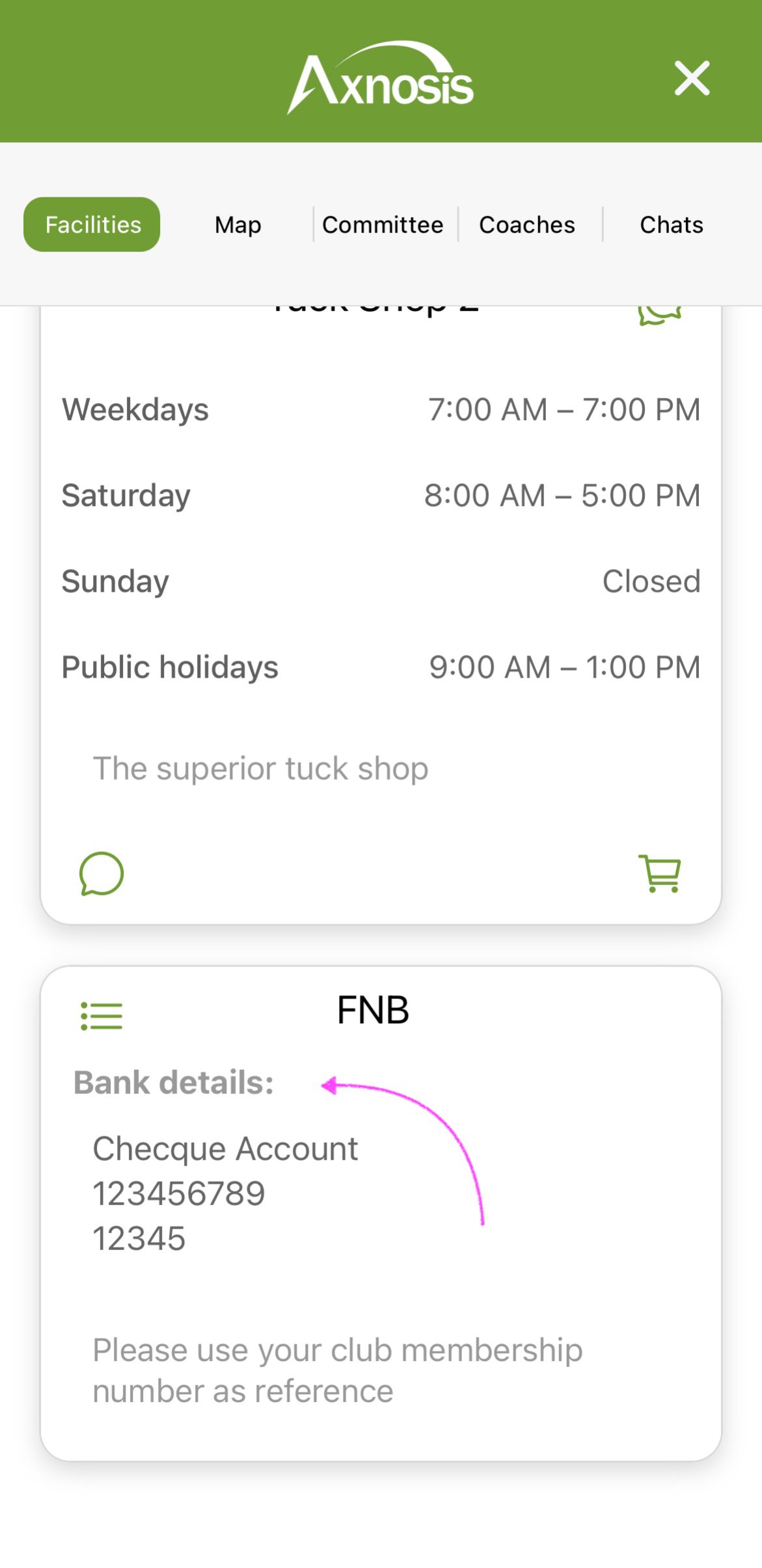
l. Under the Facilities segment, scroll to the bottom where the last card will display the banking details.
¶ Club committee members
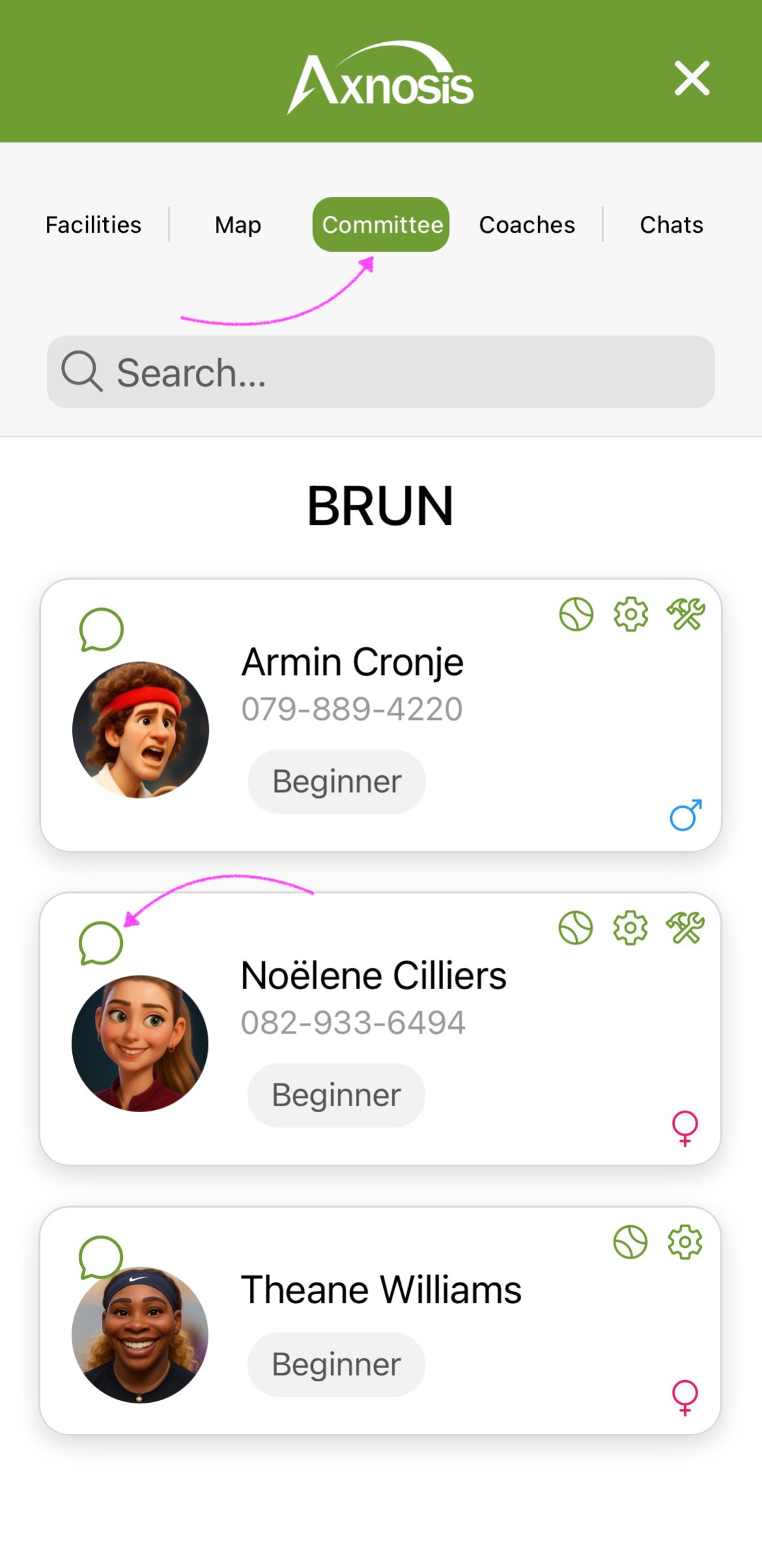
Open the Committee segment to see a list of all the committee members.
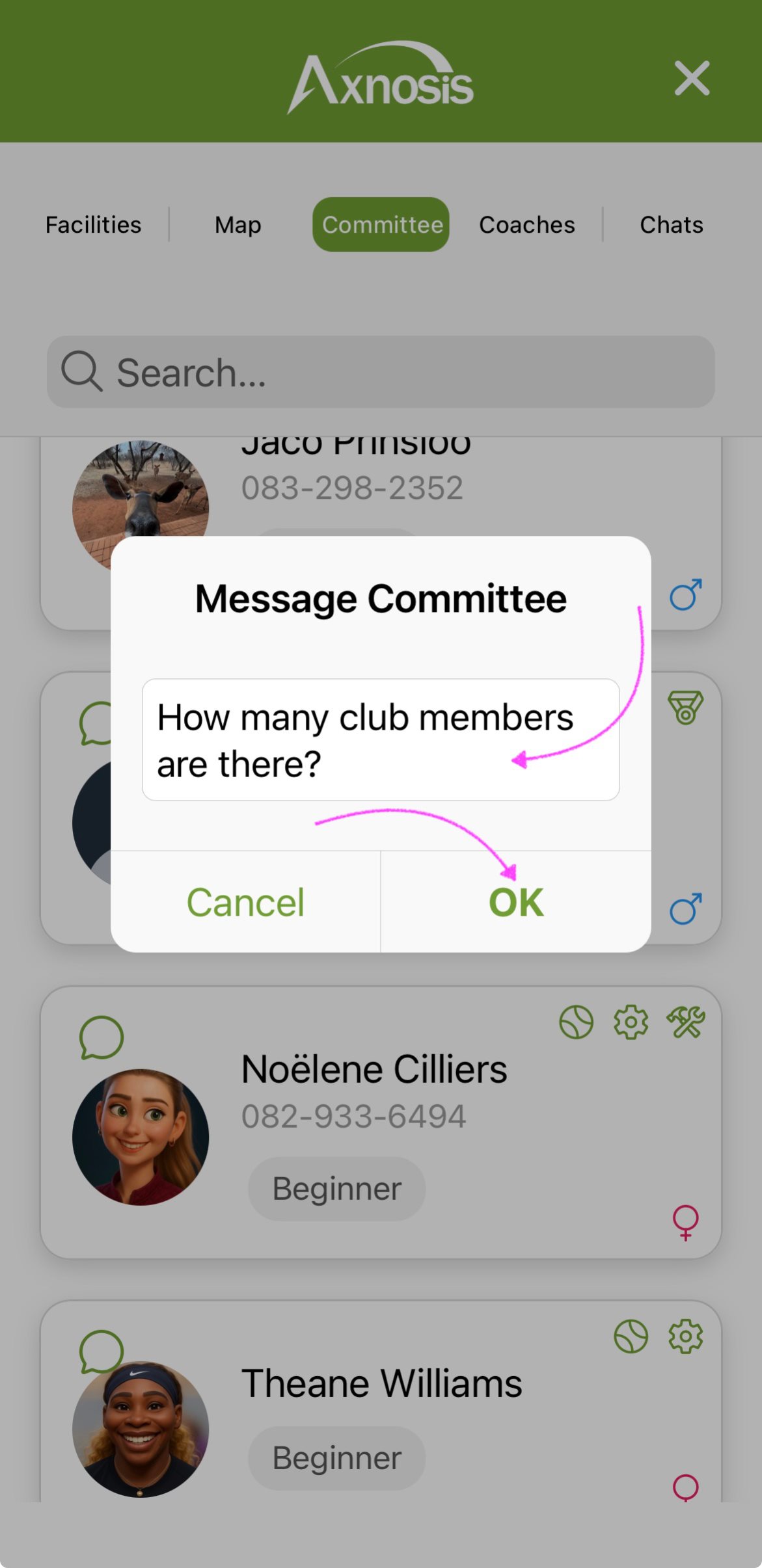
m. Messages can be sent directly to any Committee member.
- Tap on the (chat icon) of the committee member that you want to send a message to.
- Type the message on the pop-up and tap on OK
| Committee segment | Type message |
|---|---|
 |
 |
Committee members can view the message sent, from the following places:
- Under My clubs, open the Chats segment and expand the Committee and Coaches accordion.
- On the Home screen, tap on the Messages tile, under the Personal segment.
¶ Club coaches
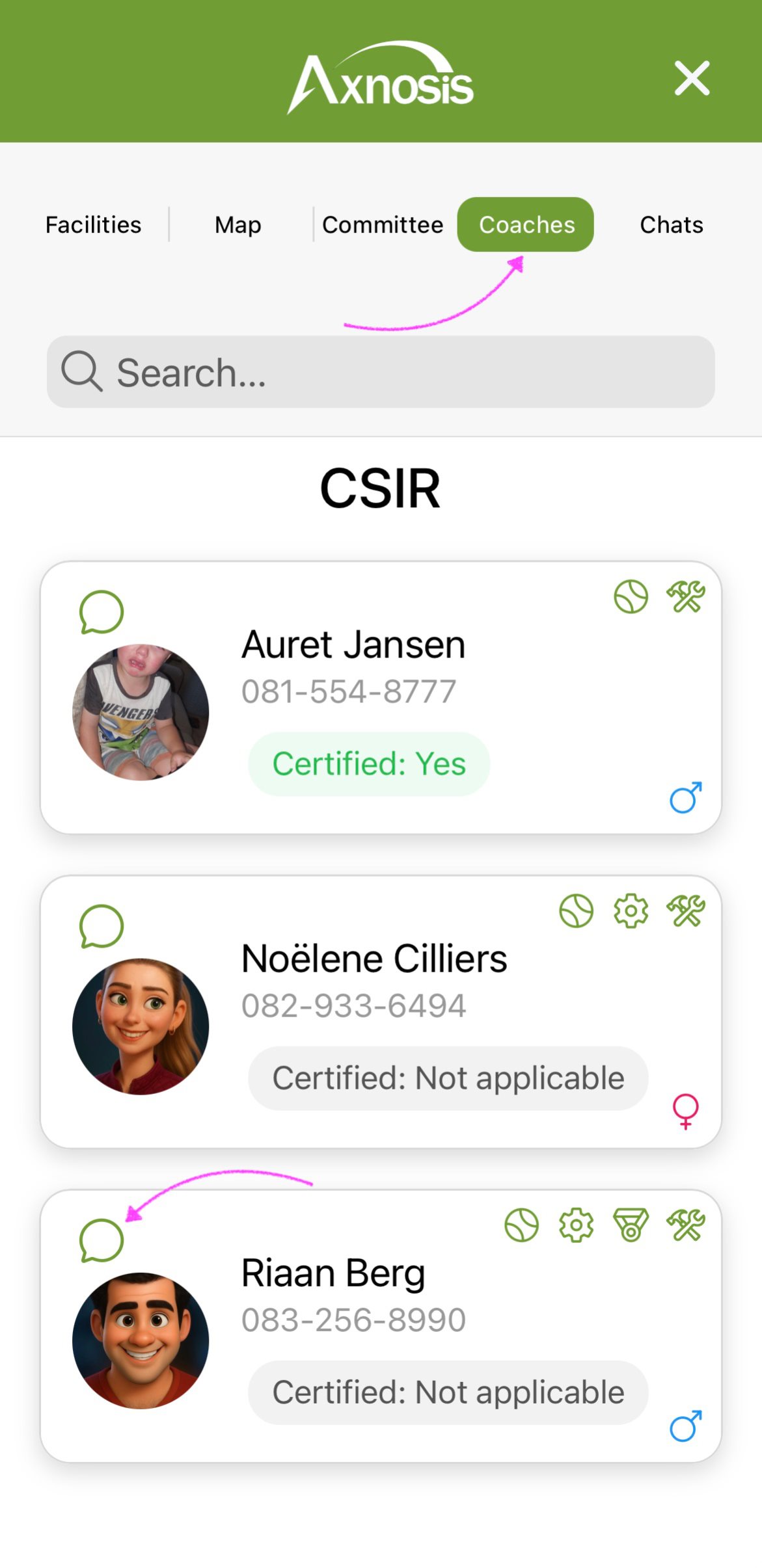
Open the Coaches segment to see a list of all the coaches at the club.
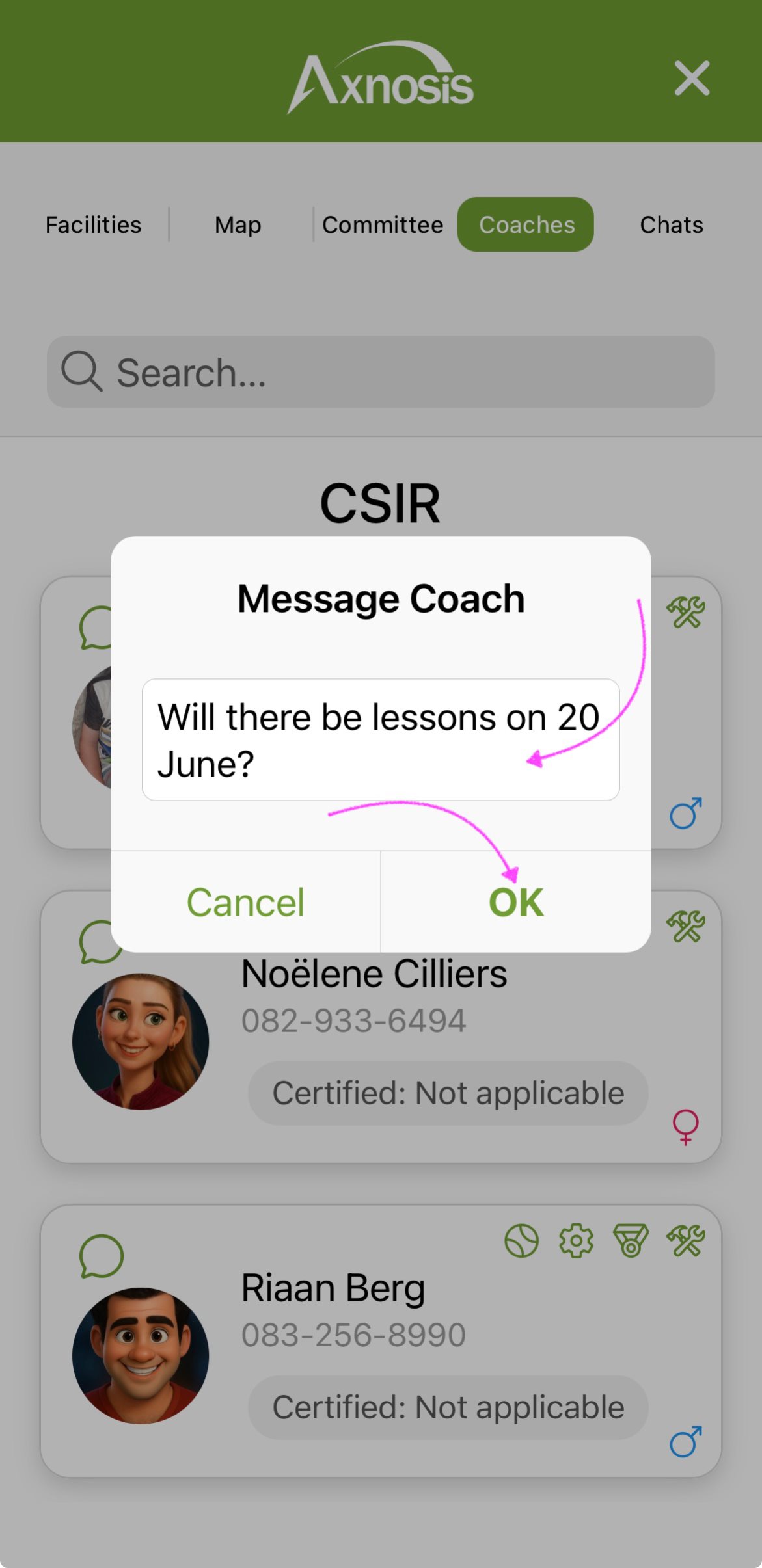
n. Messages can be sent directly to a coach.
- Tap on the (chat icon) of the coach that you want to send a message to.
- Type the message on the pop-up and tap on OK
| Coaches segment | Type message |
|---|---|
 |
 |
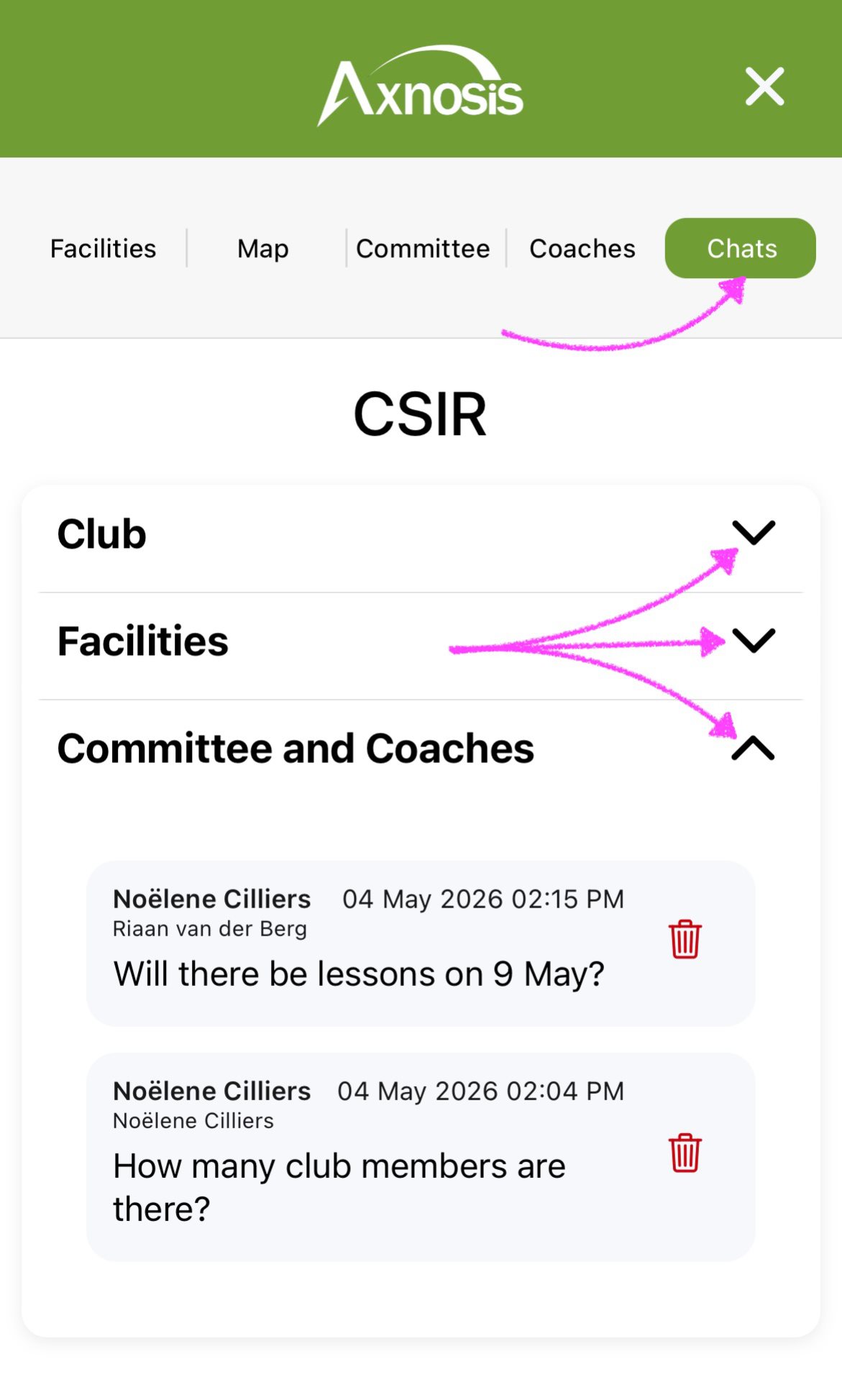
Coaches can view the message sent, from the following places:
- Under My clubs, open the Chats segment and expand the Committee and Coaches accordion.
- On the Home page, tap on the Messages tile, under the Personal segment.
¶ Chats
o. Messages are grouped under the following accordions:
- Clubs: Announcements to the whole club.
- Facilities: Announcements to the committee members of the relevant club.
- Committee and Coaches: Messages from players to the Committee members and/or Coaches.
¶ Reports
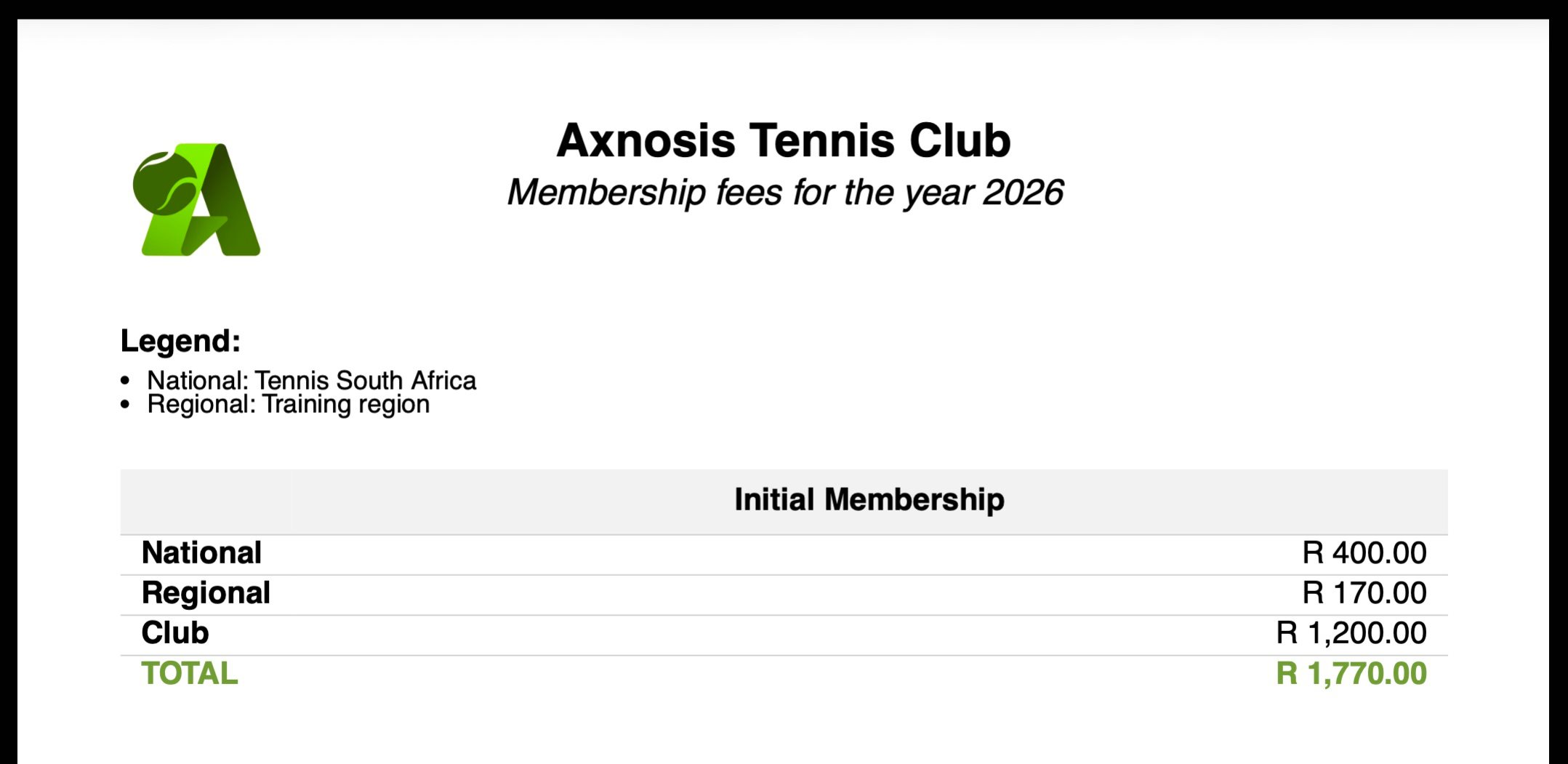
¶ Club fees report
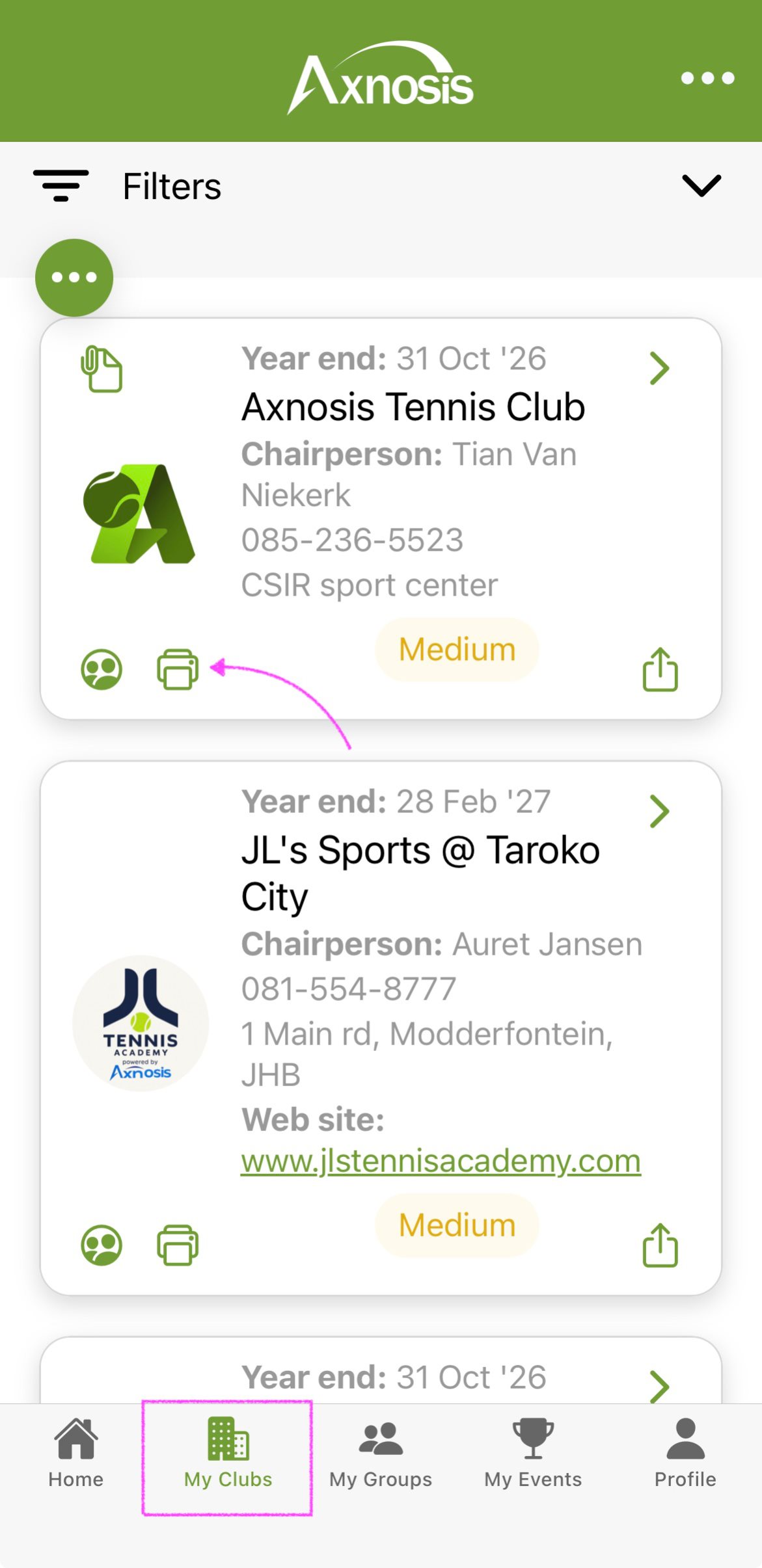
- Open the My Clubs tab at the bottom of the screen.
- Tap on the (printer icon) of the relevant club.
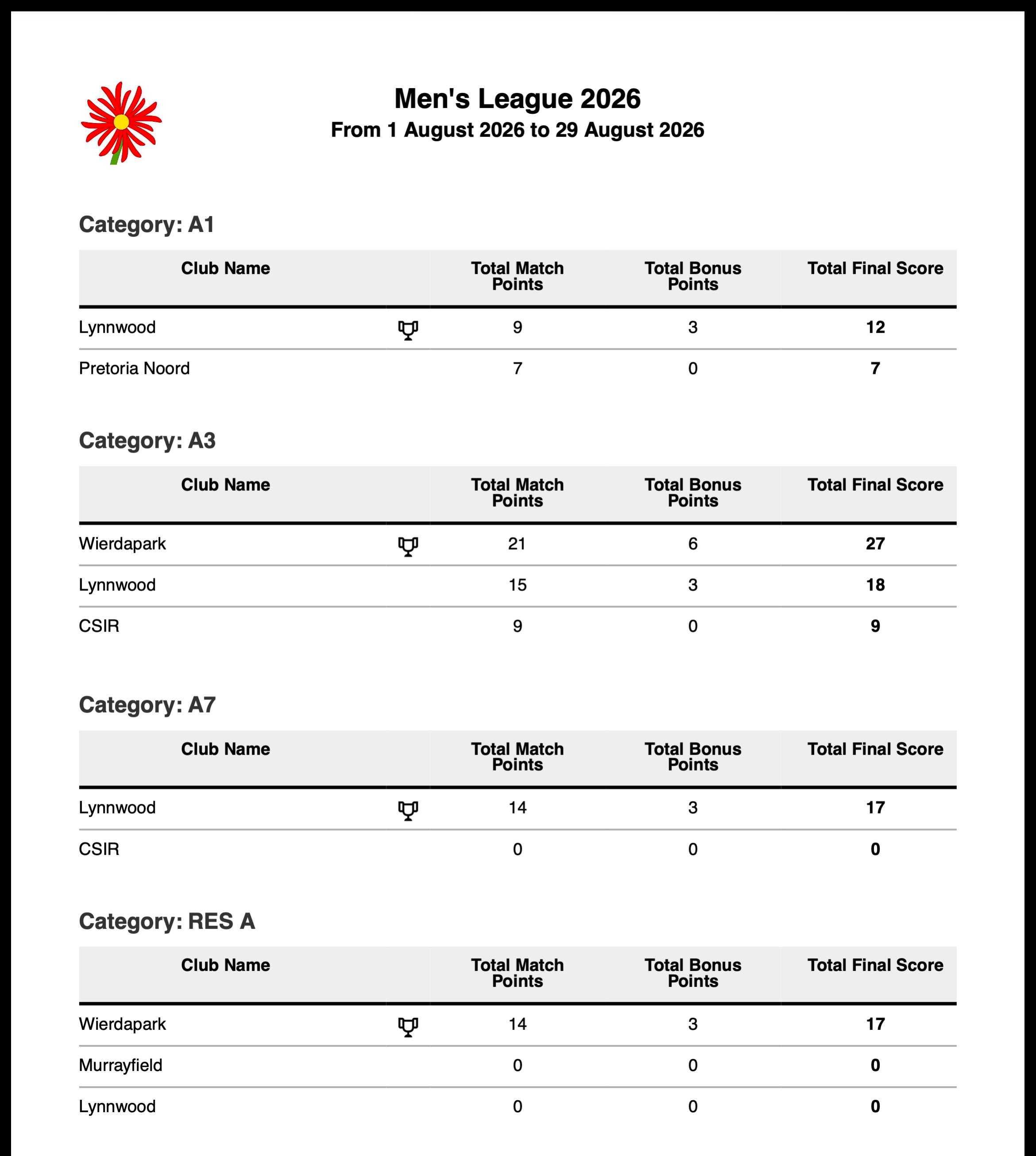
¶ League standings report
- Open the My Clubs tab at the bottom of the screen.
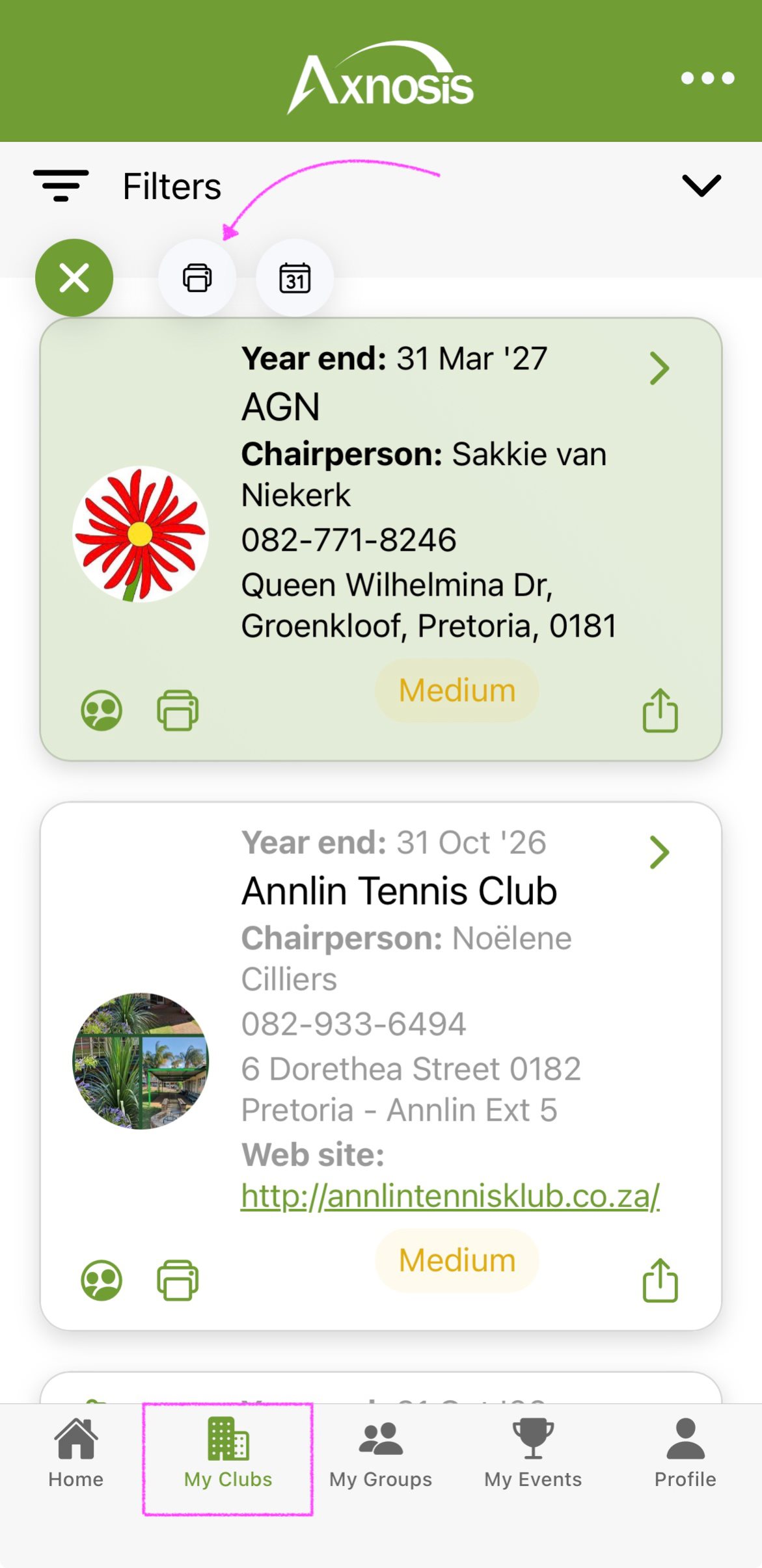
- Tap on the ellipsis and then tap on the printer icon.